Features
The purpose of the feature pages are to illustrate functions of the Lead Mate software.

The functions are presented in the order in which they appear on the Site Map. This order also corresponds to the order in which users would encounter the different functions the first time subscribers use Lead Mate.
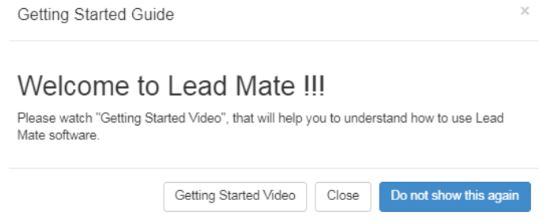
Dashboard
Orientation video to explain the concept of Lead Mate
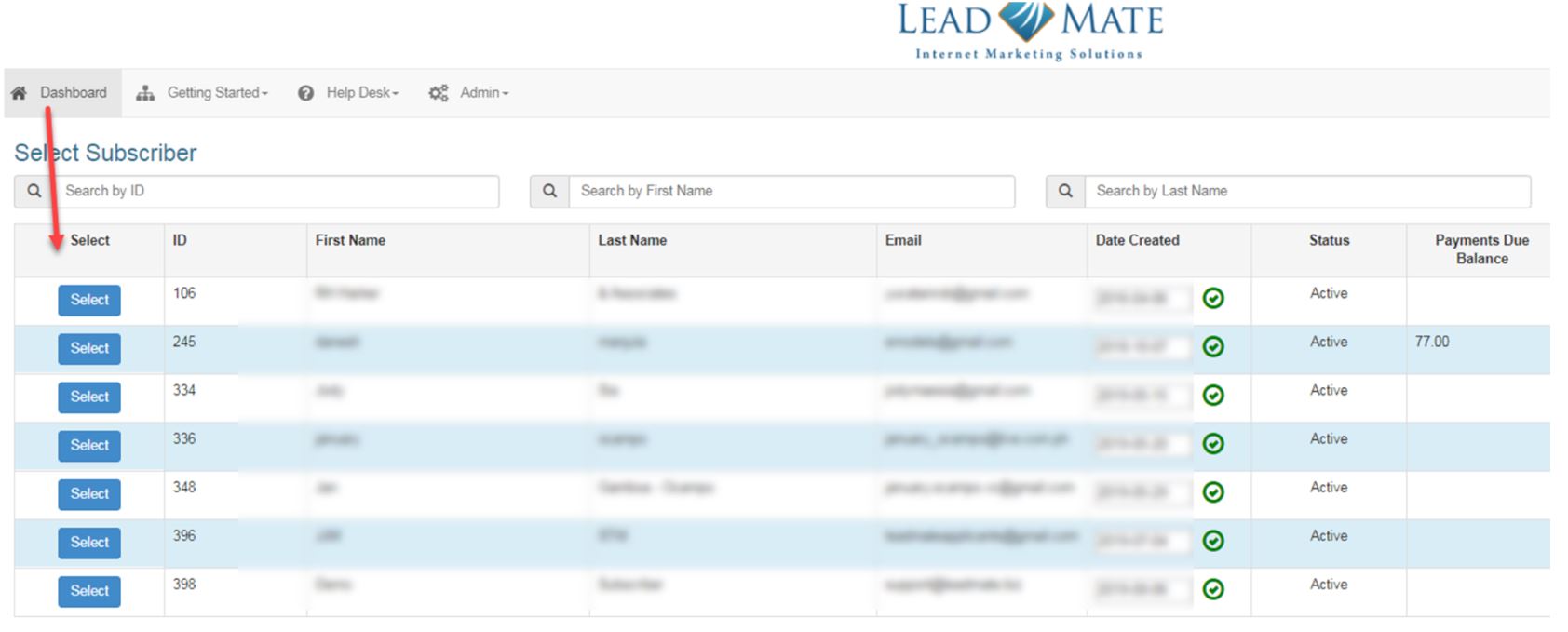
Allows Subscribers to select their own file or a client file.
Getting Started
Getting Started Video
Names the various video tutorials under each tab
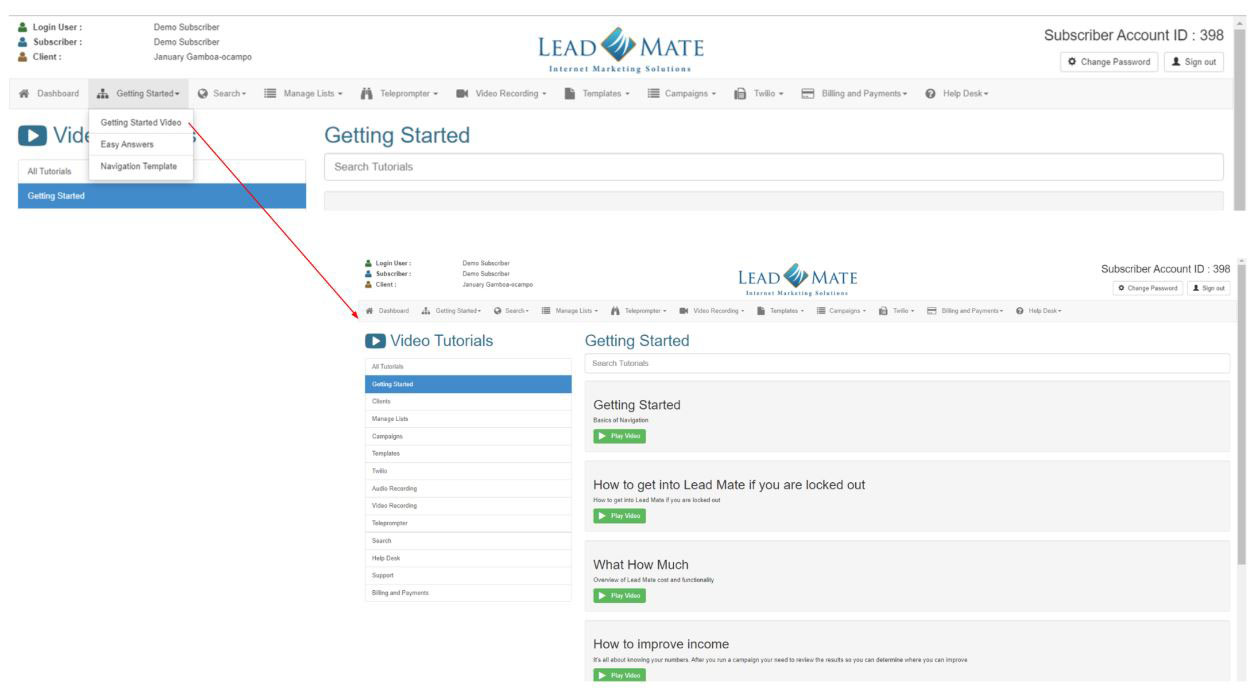
Plus under each tab, there are corresponding tutorials
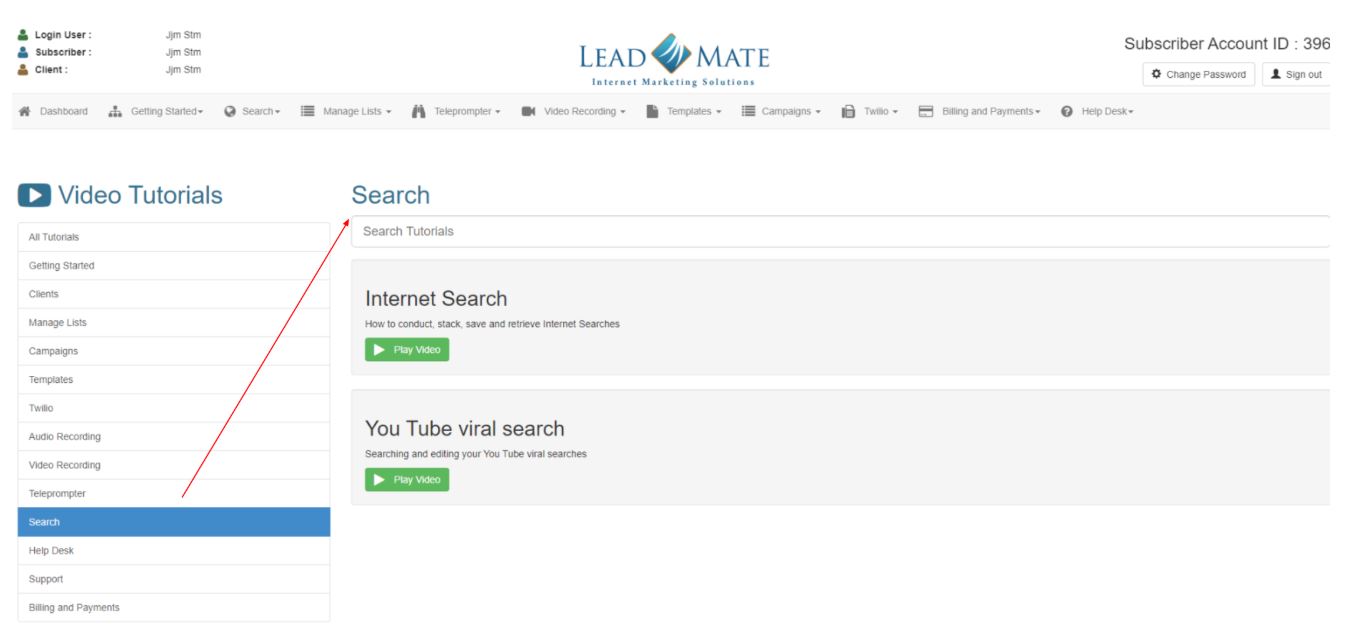
Easy Answers
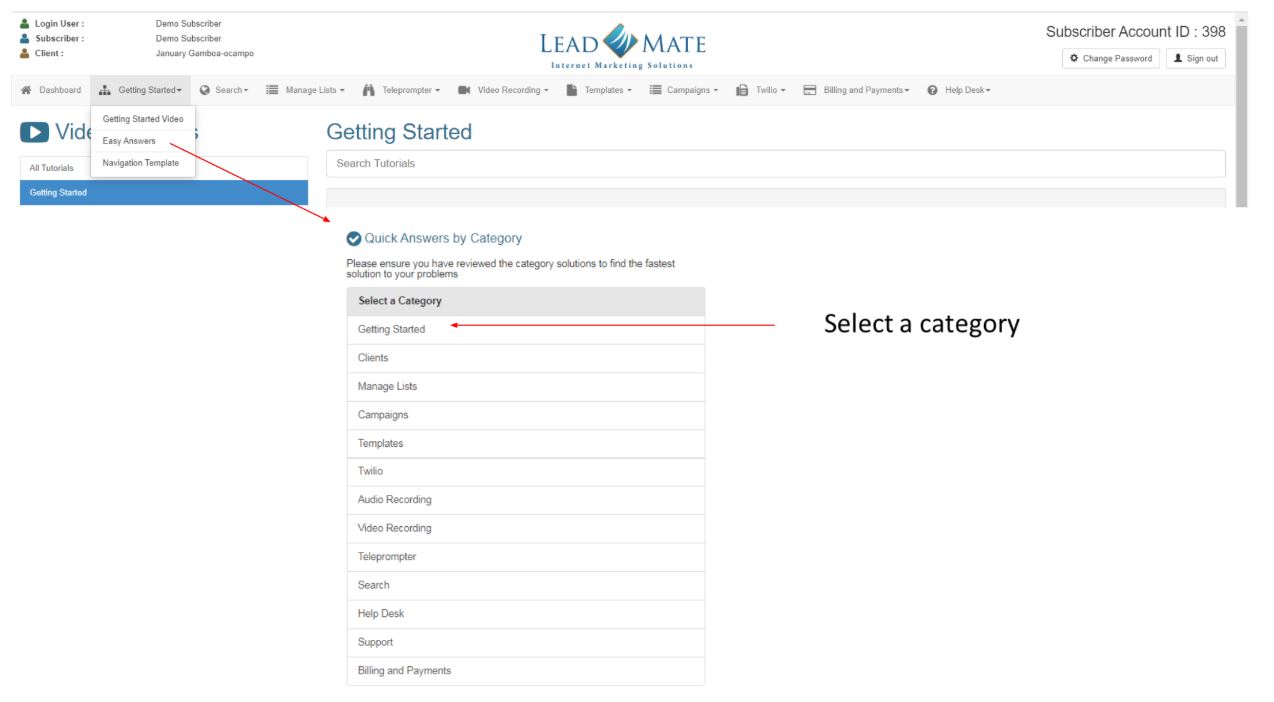
Navigation Templates
Downloadable Navigation Template
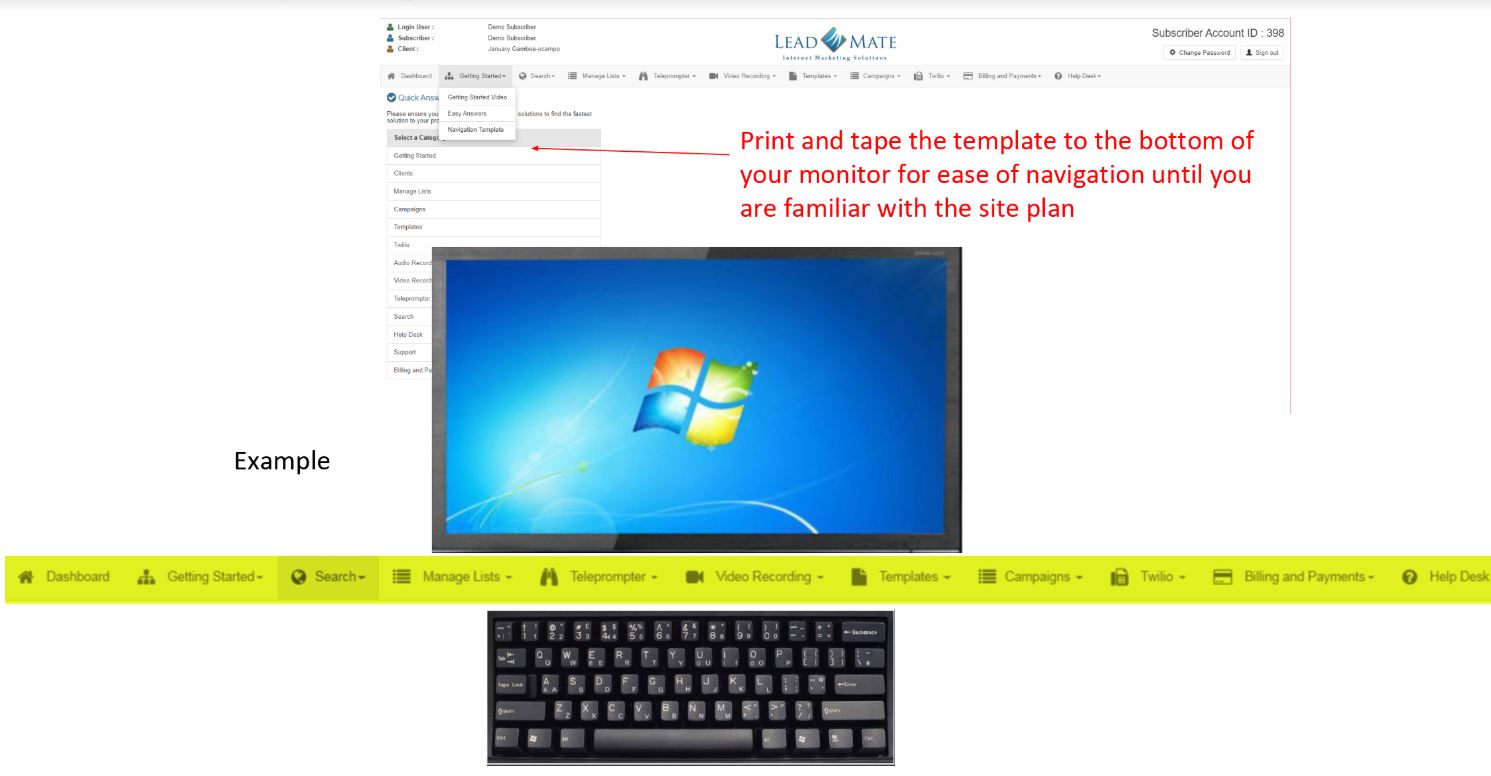
Search
This is where you would create specific searches, stack searches, monitor searches in progress
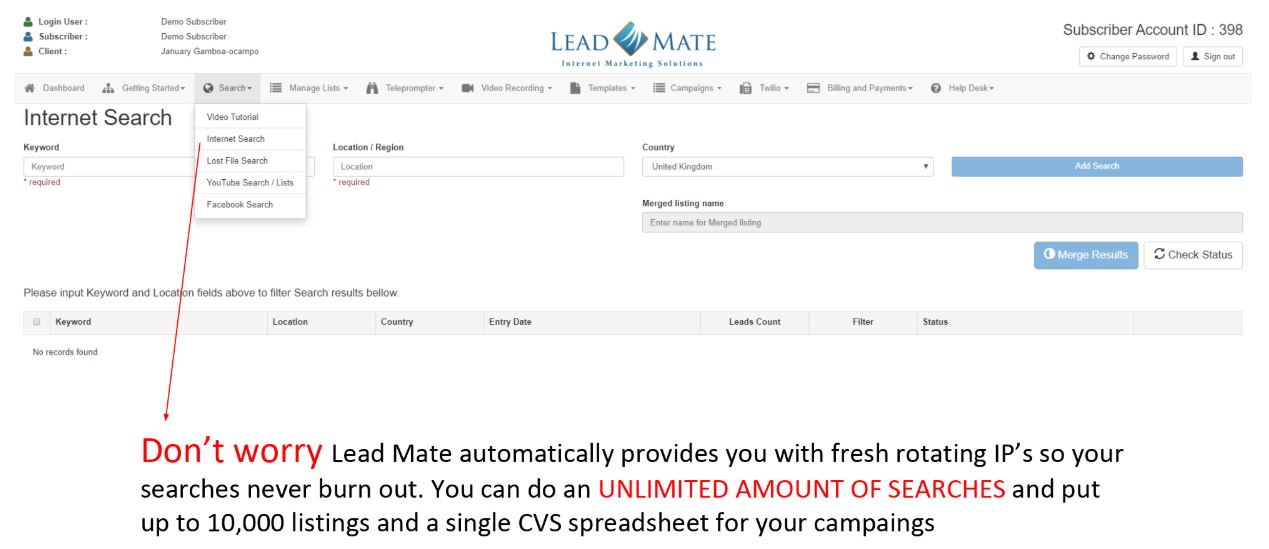
Internet Search
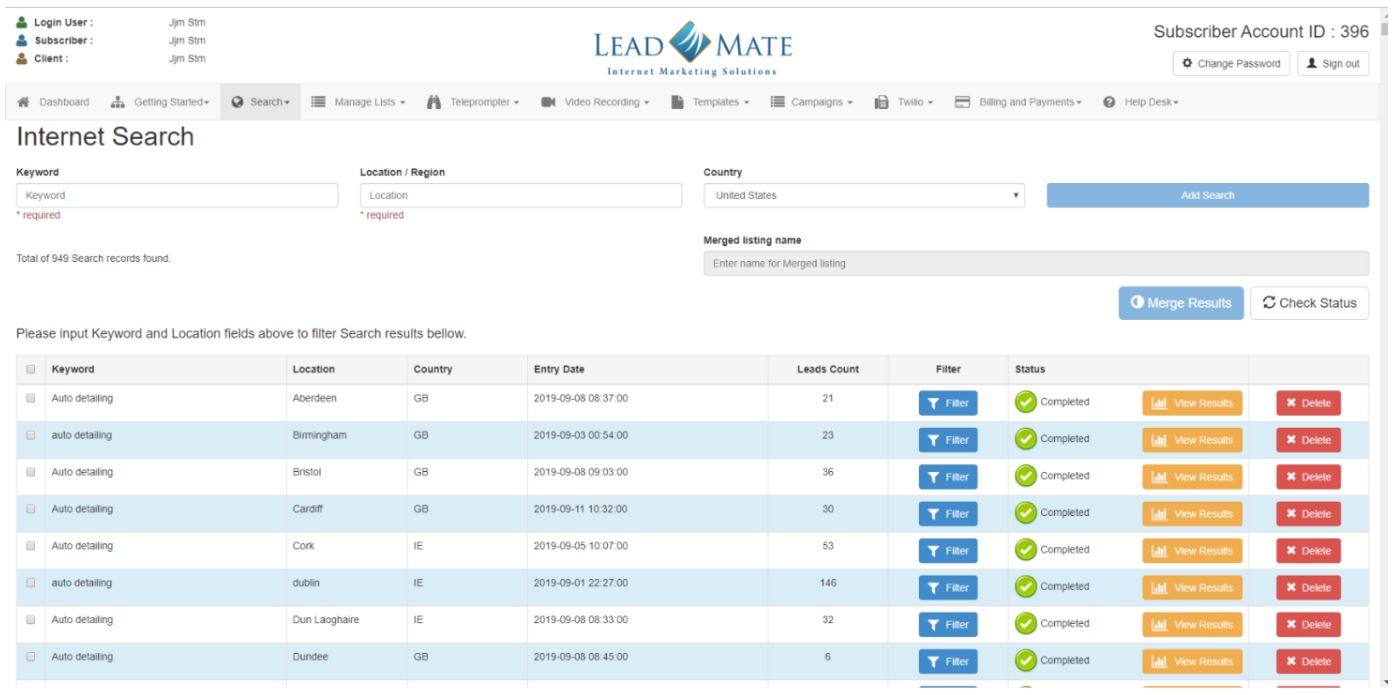
The Internet function searches keywords from specified locations and stacks your searches so you don't have to sit by the computer waiting to load the next search.
Filter Your Lists
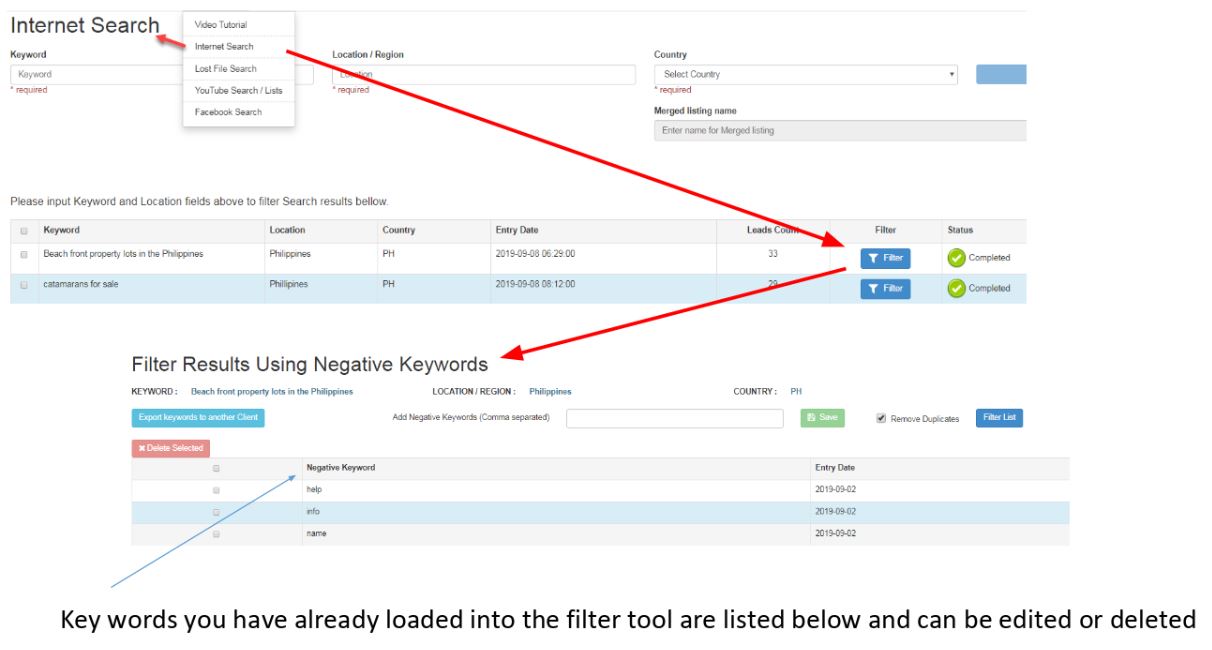
This is where you clean your list based on removing negative keys words and duplicate results. Key words you have already loaded into the filter tool are listed below and can be edited or deleted
Lost File Search
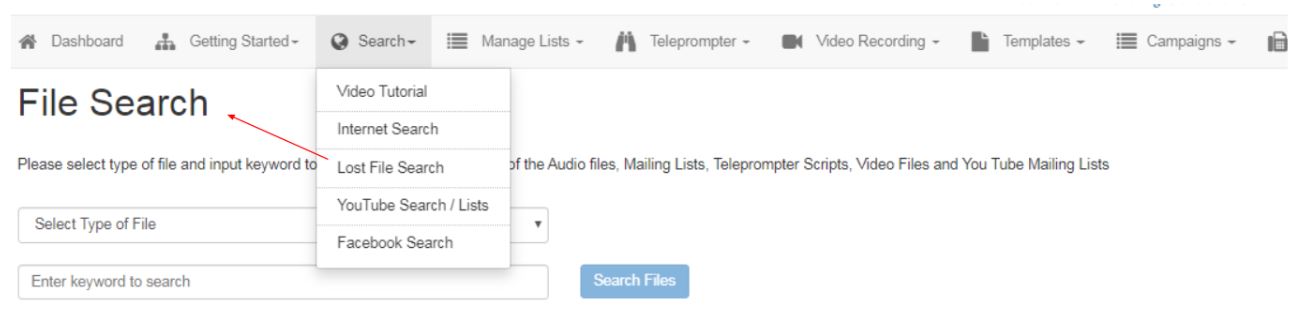
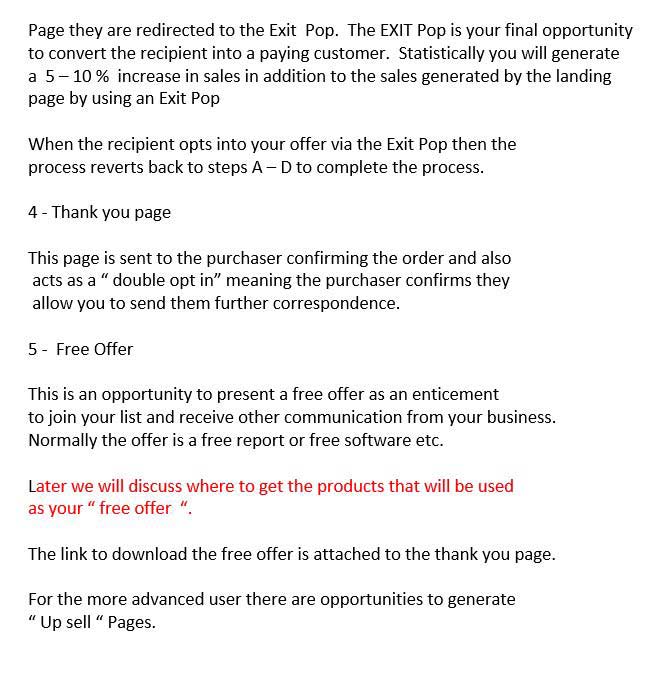
Locates your file via keywords in the event you save the file to the wrong client.
You Tube Search / Lists
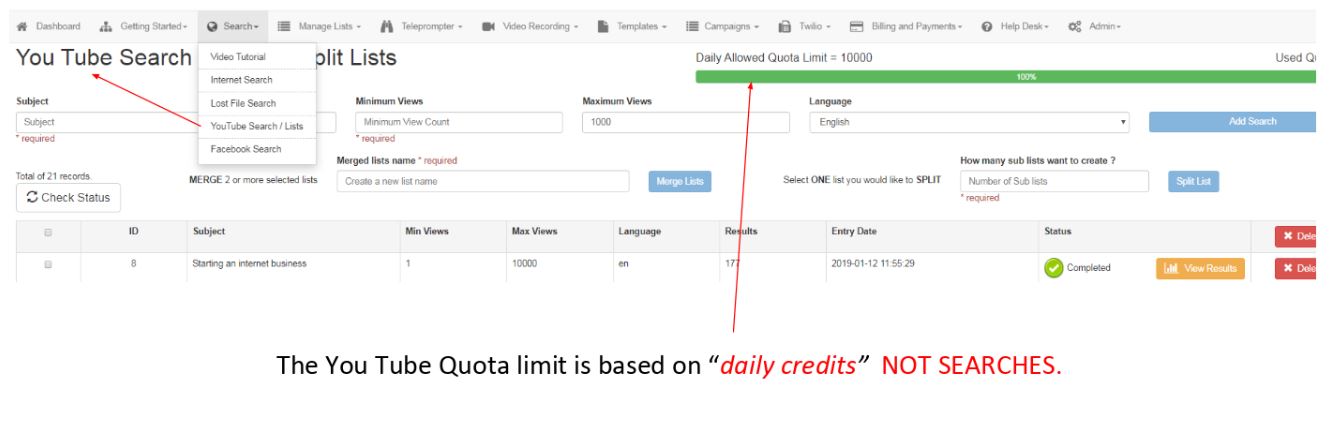
Select desired criteria and view range. Add search to direct into the queue. Subscribers can search up to approximately, 285 individual You Tube videos per 24 hour period.
Custom packages with larger quota limits available. Pricing and availability available on request.
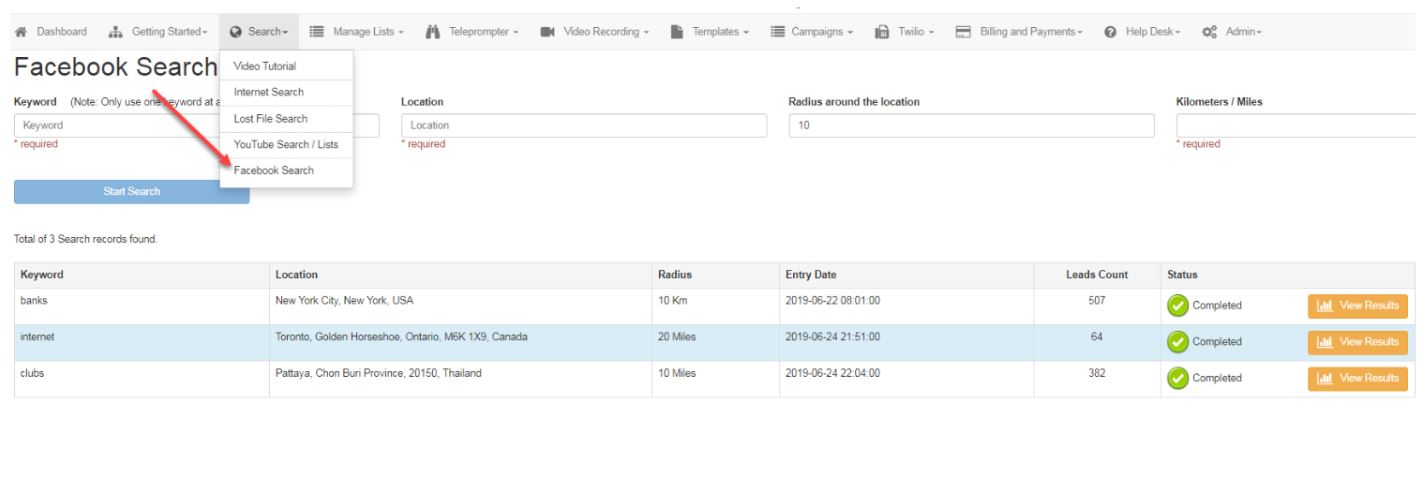
Facebook Search
Search using keywords, location and the radius distance form the centre of the location field.
Manage Lists
Add Lists
It is critical that you watch ALL the video tutorials as you navigate the site.
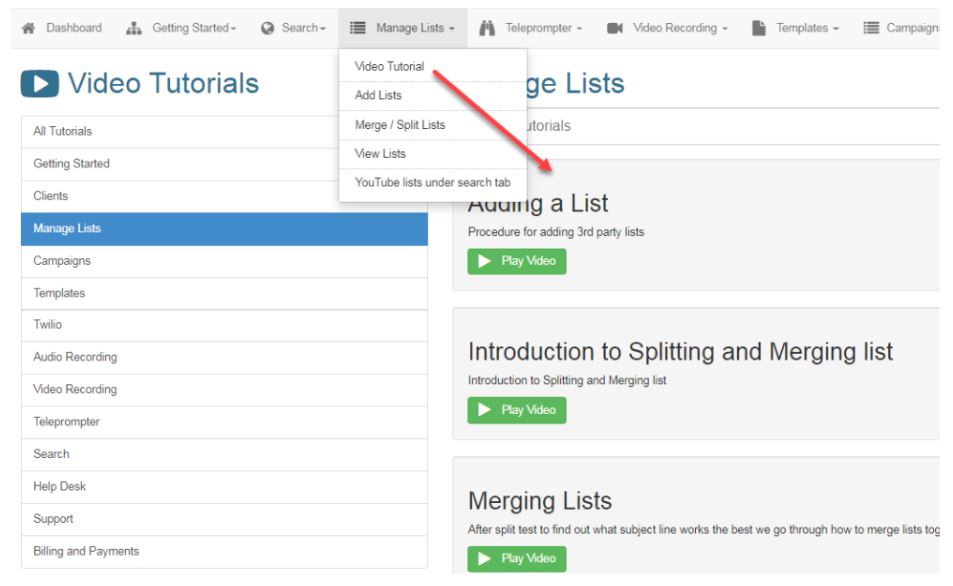
Save a list you created to a specific category to use later in a campaign. Upload list from another source, download an existing list for alternate use.
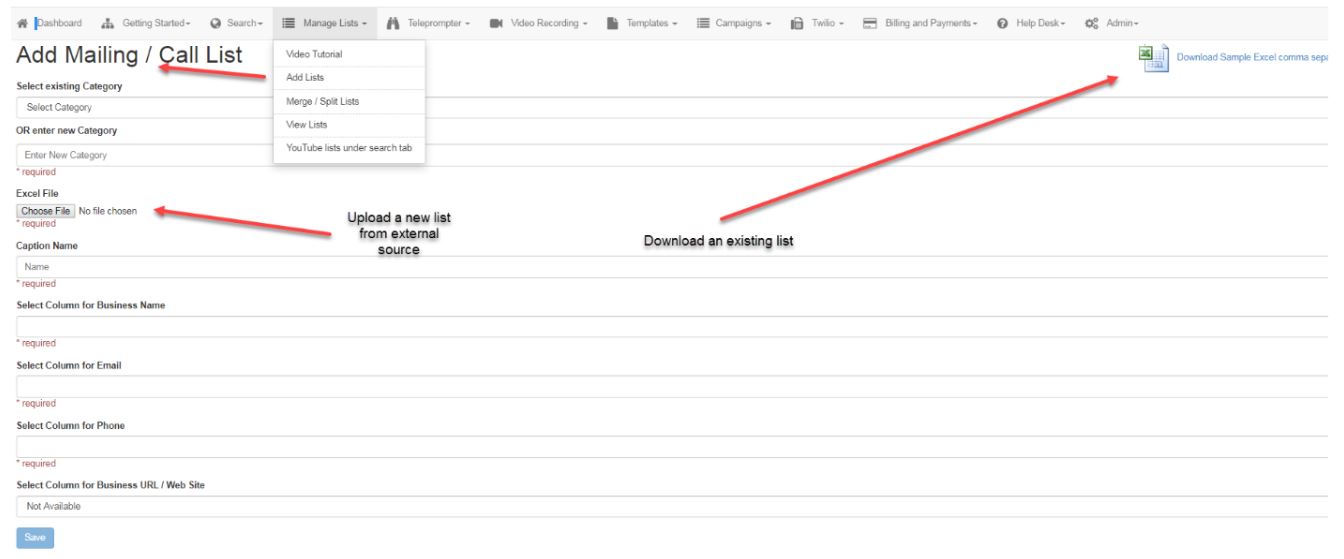
Merge / Split Lists
This is where you chop up your lists fgor split testing to see which subject line, email content, landing page, etc. works best INSTEAD of sending out hundreds of non converting emails
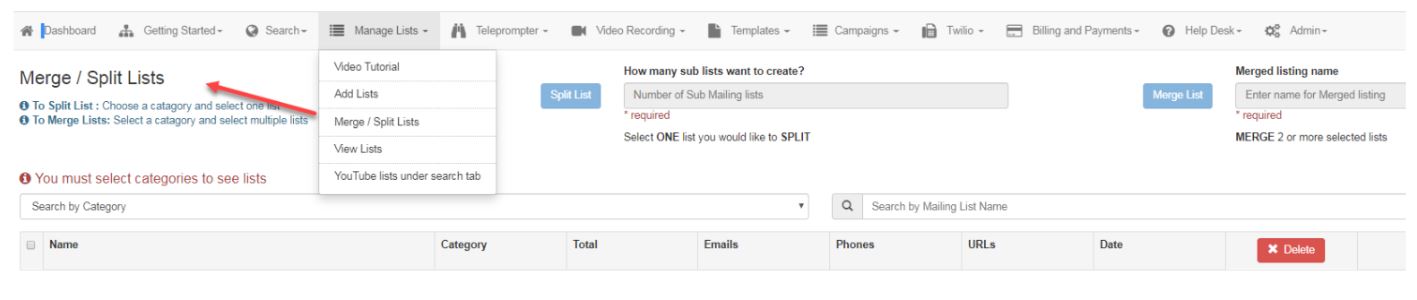
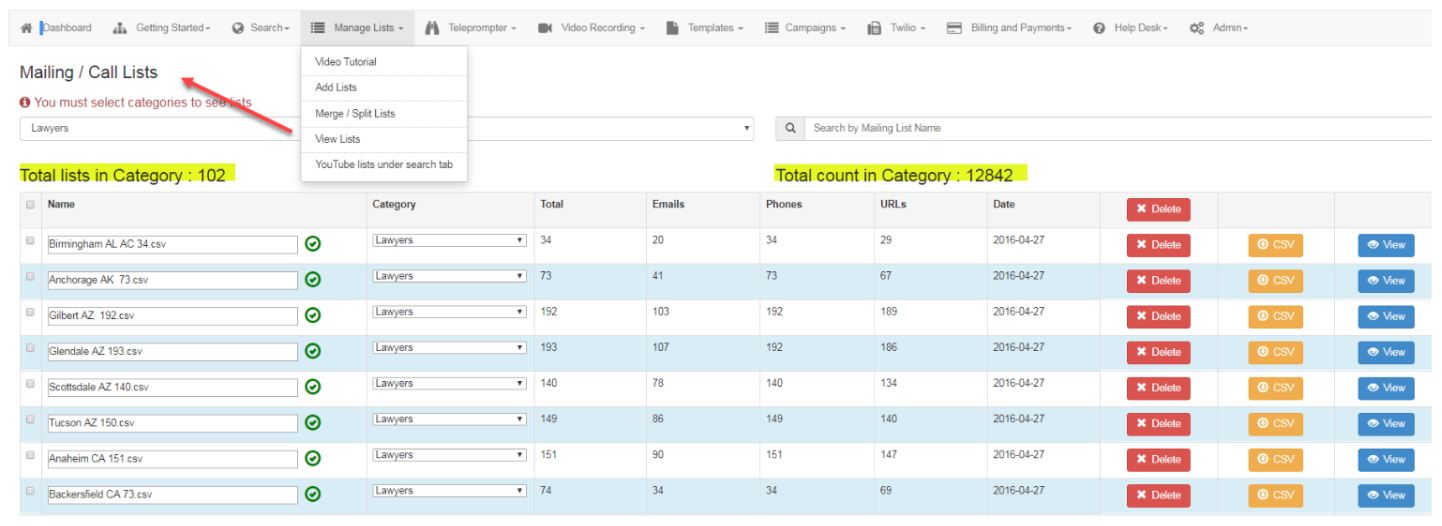
View Lists
Review total number of Lists / total results by category
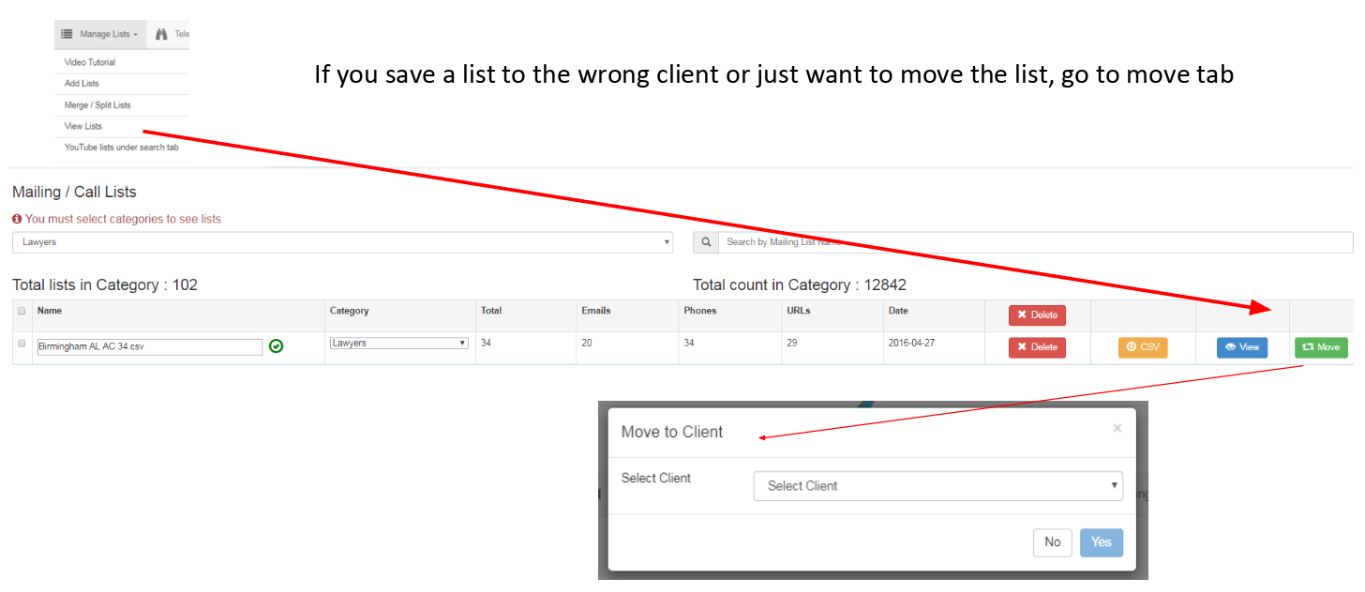
Move A List To A Different Client
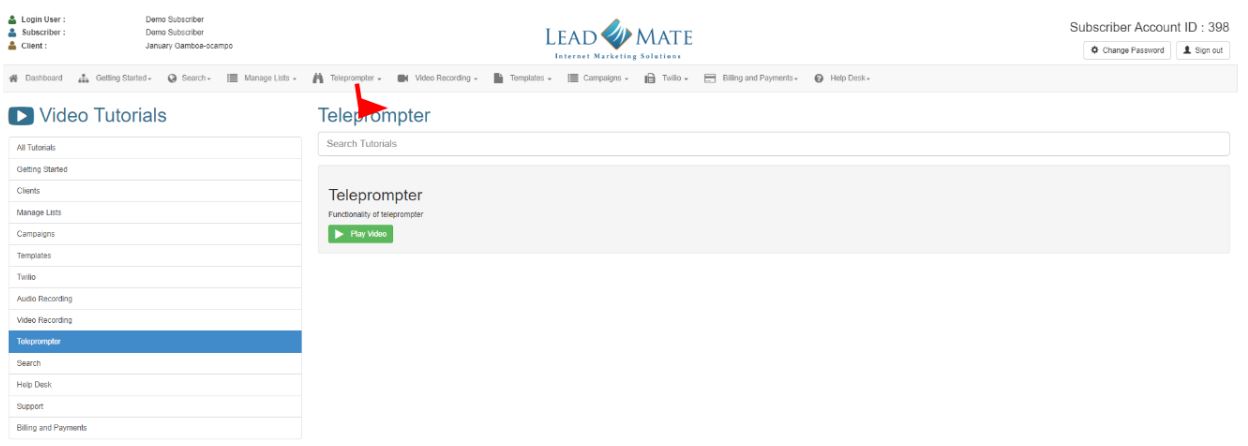
Teleprompter
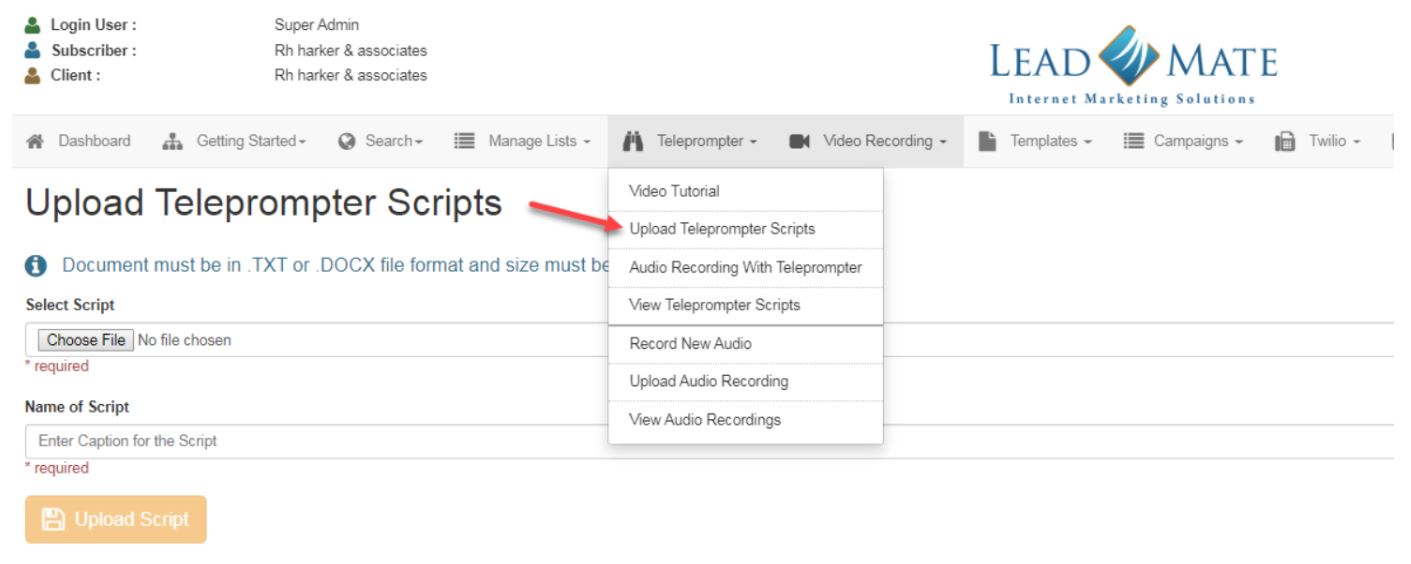
Upload Teleprompter Scripts
Add a script to be used in an Audio text campaign or telemarketing promotion
Teleprompter Record New Audio
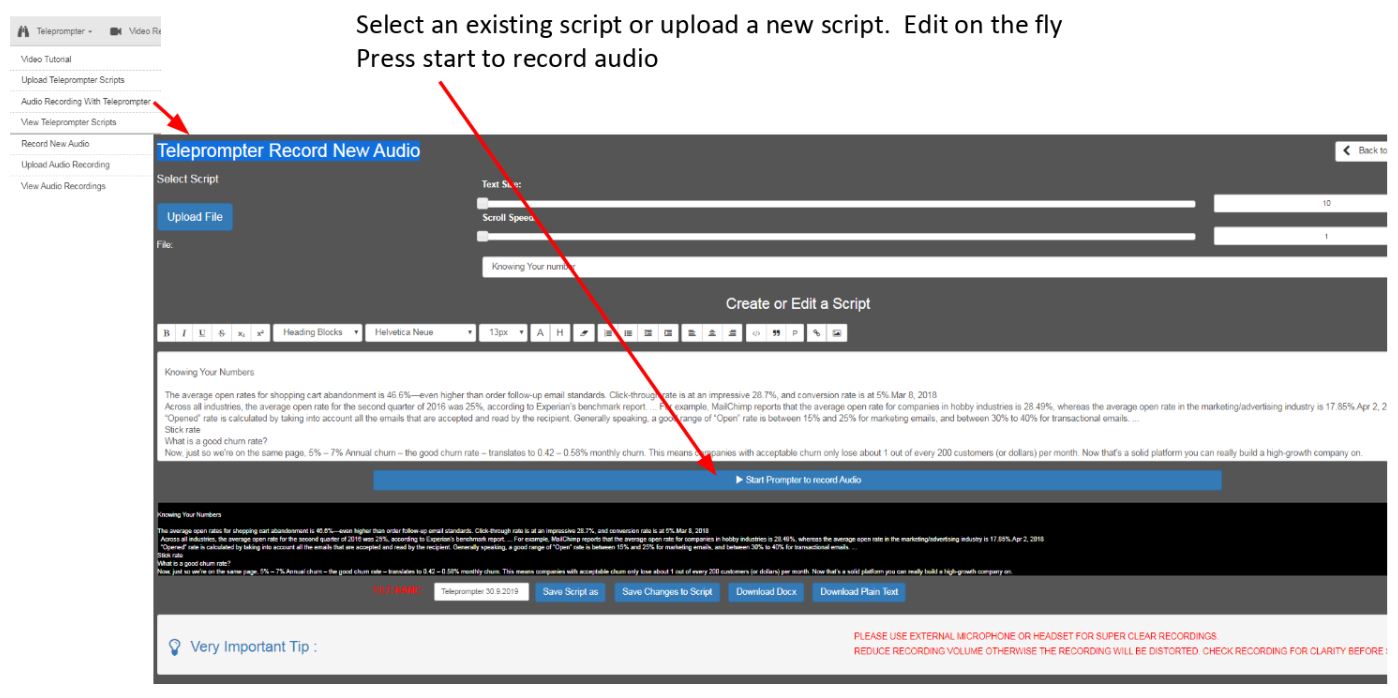
Record New Audio
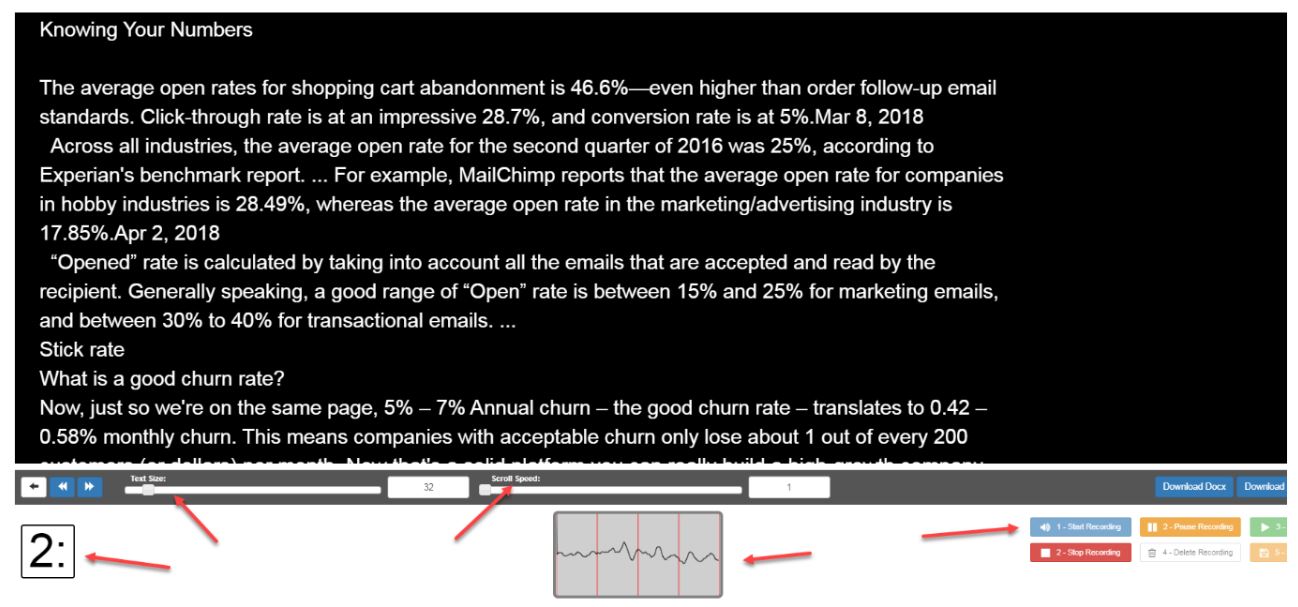
Adjust text size, scroll speed, monitor record time, save, delete, pause etc.
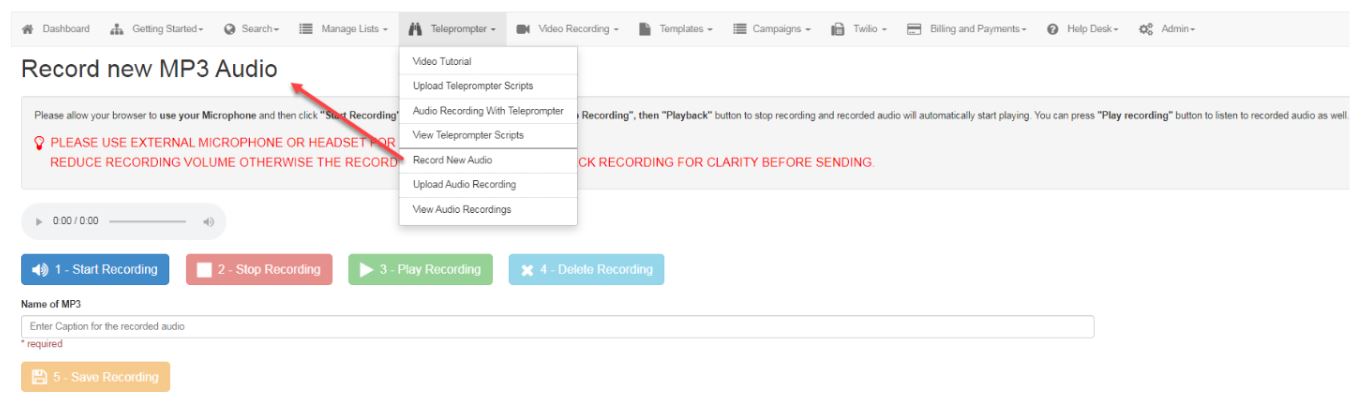
Record new MP3 Audio
This function is for recording an MP3 without the teleprompter Example reading the script from a piece of paper
View Teleprompter Scripts
All previously loaded scripts will appear here in a list format. Be sure to save an edited script with a new file name ie: V.1 etc.

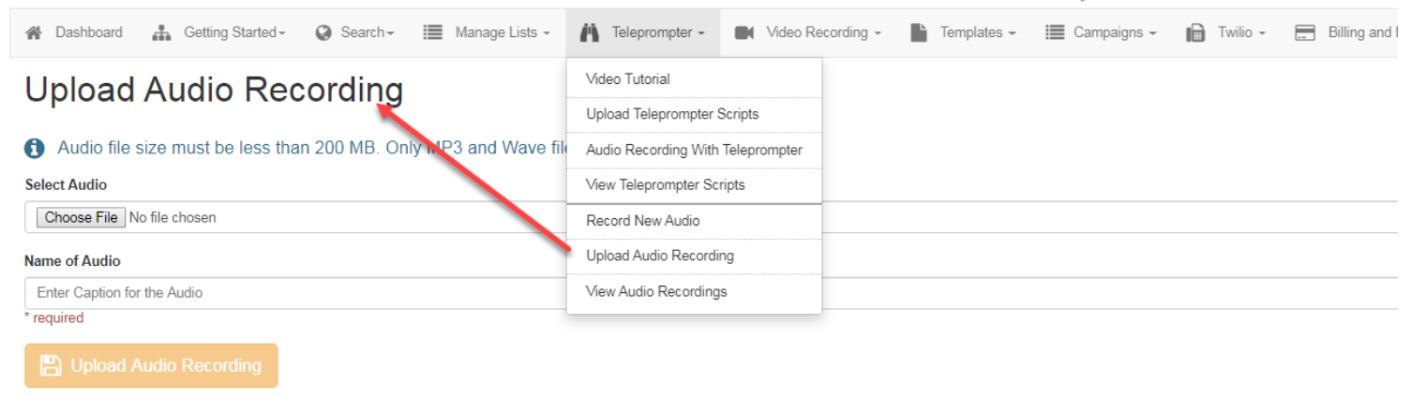
Upload Audio Recording
Upload an alternate source MP3 to store in your Audio library
View Audio Recordings
This is your library of MP3 recordings. Always preview your MP3 to ensure you are using the correct recording for a specific campaign
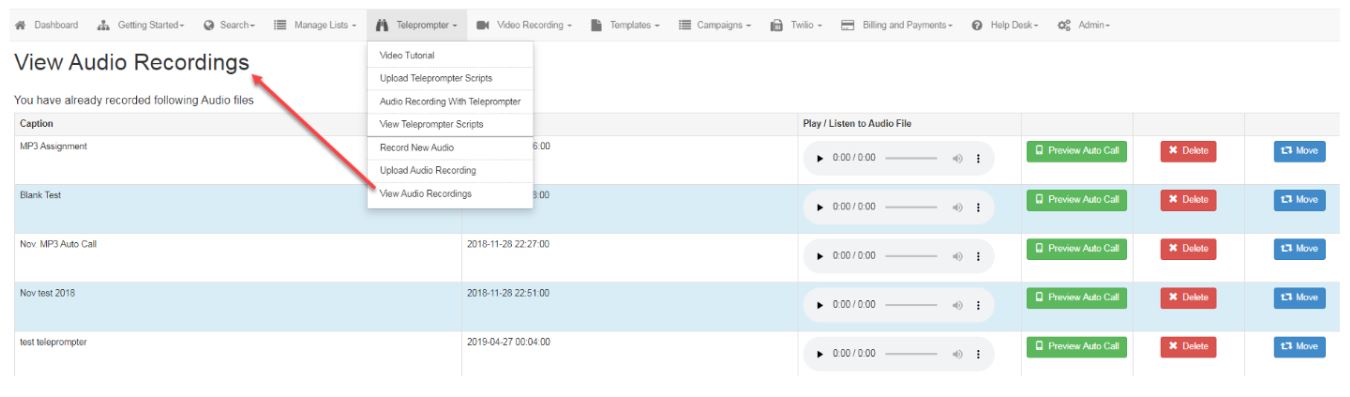
Video Recording
This is the area where subscribers can upload MP4 and Web M files from another source

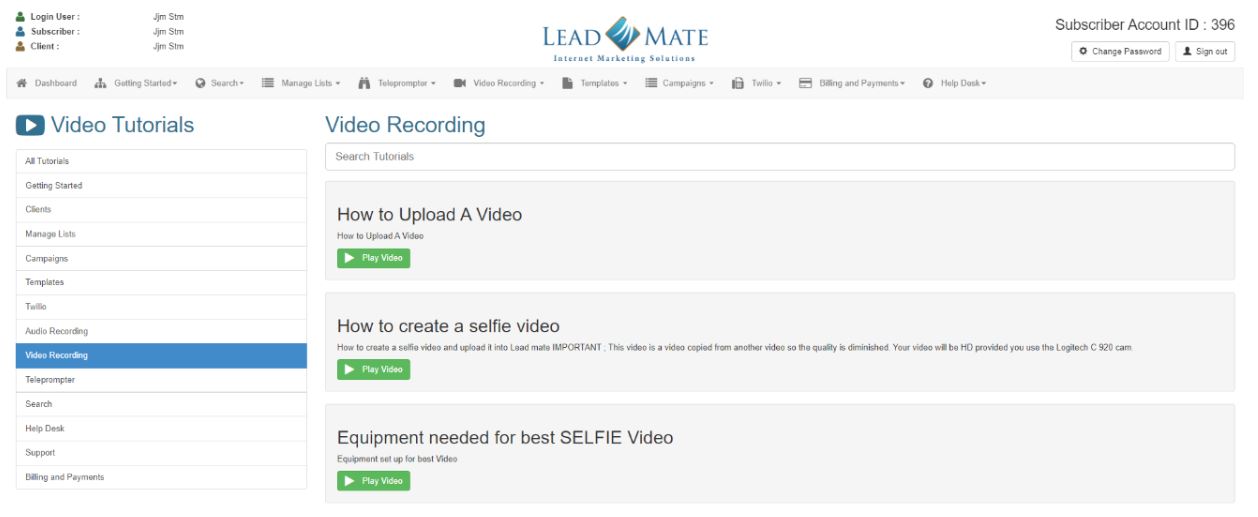
Upload New Video
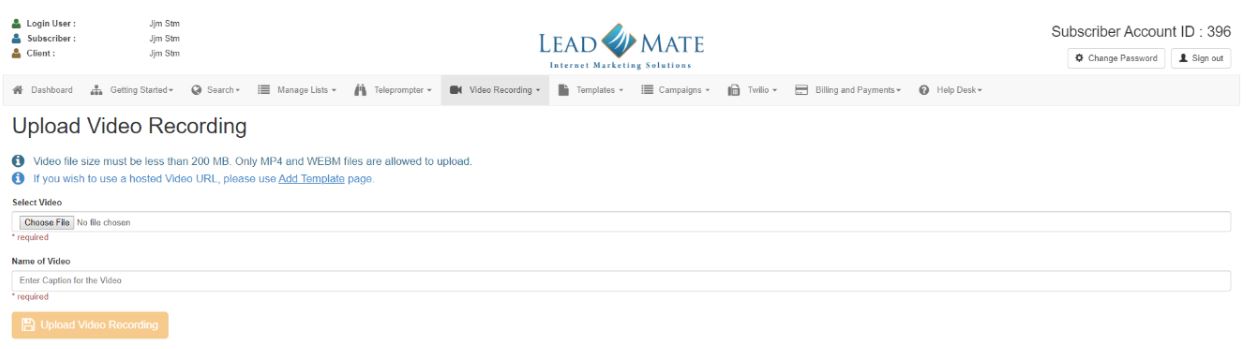
View Video Recordings
This area allows you to view your video library and play video to ensure it is correct before you assign it to a campaign.
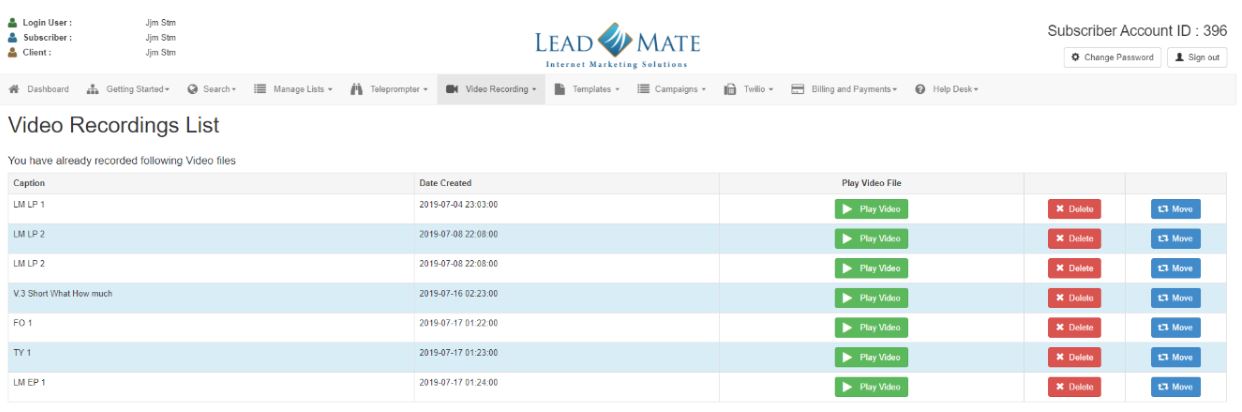
Templates
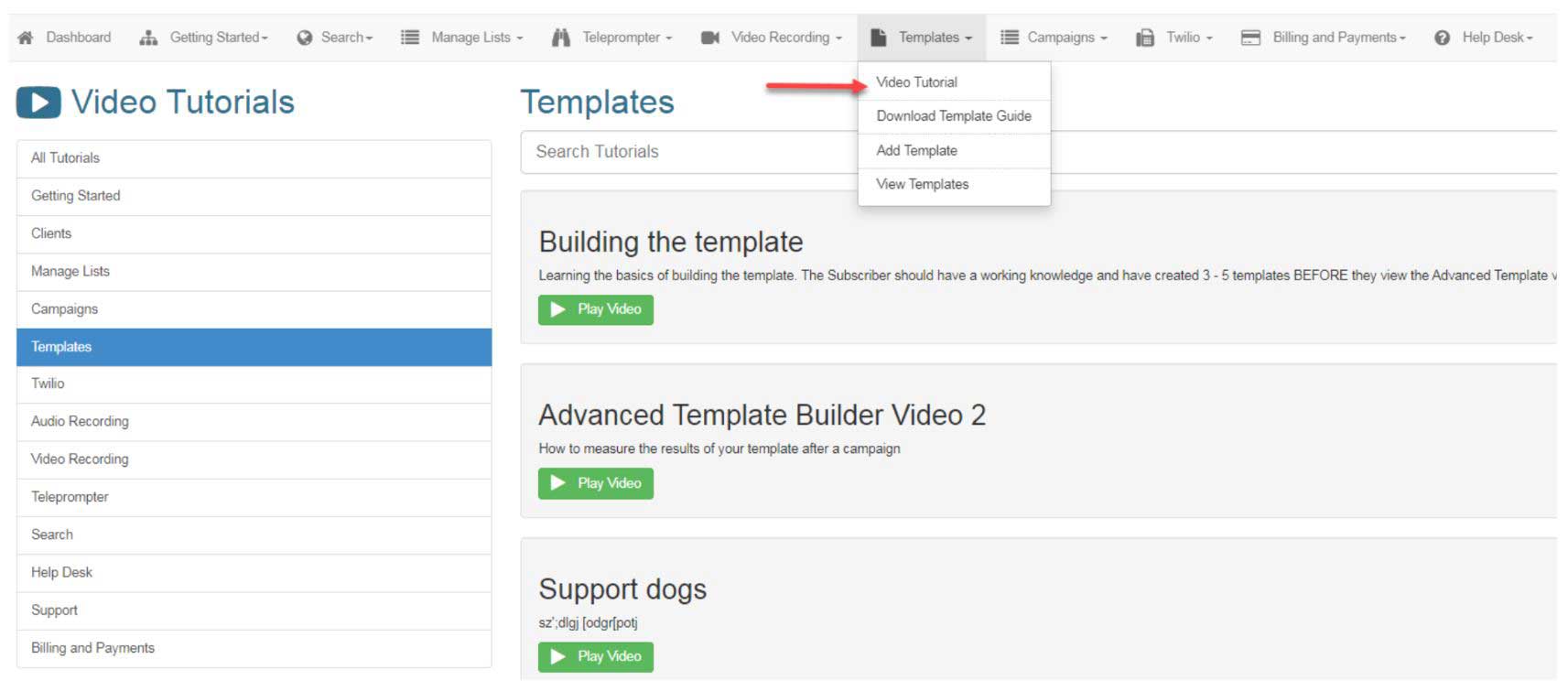
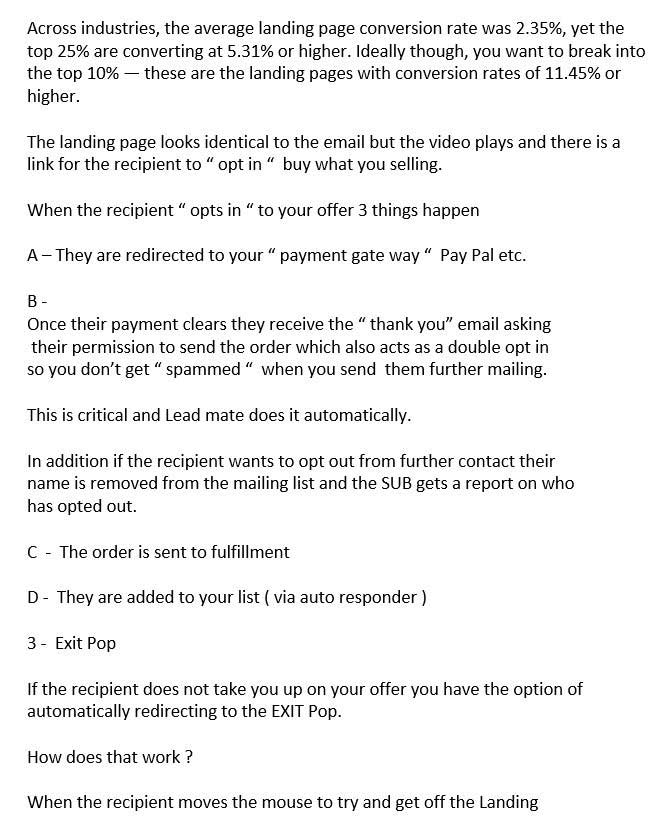
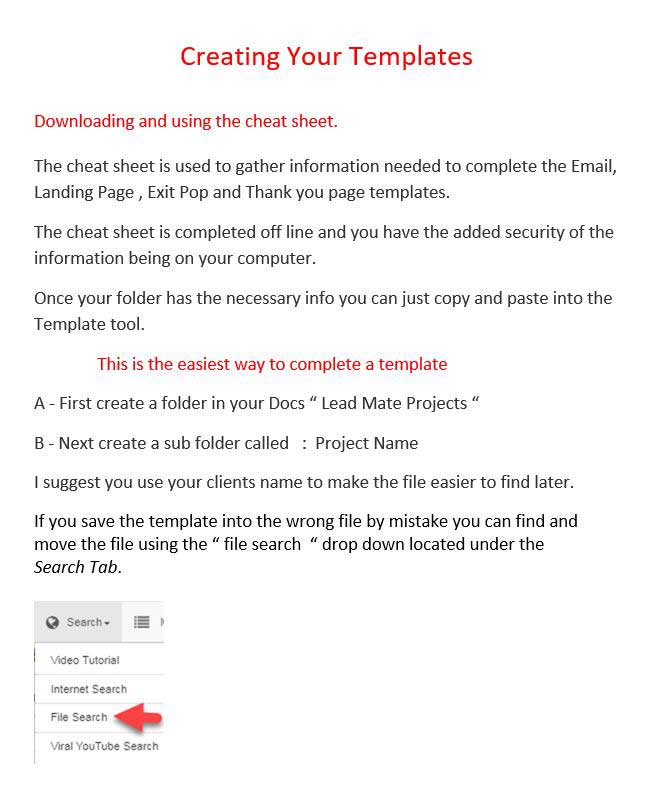
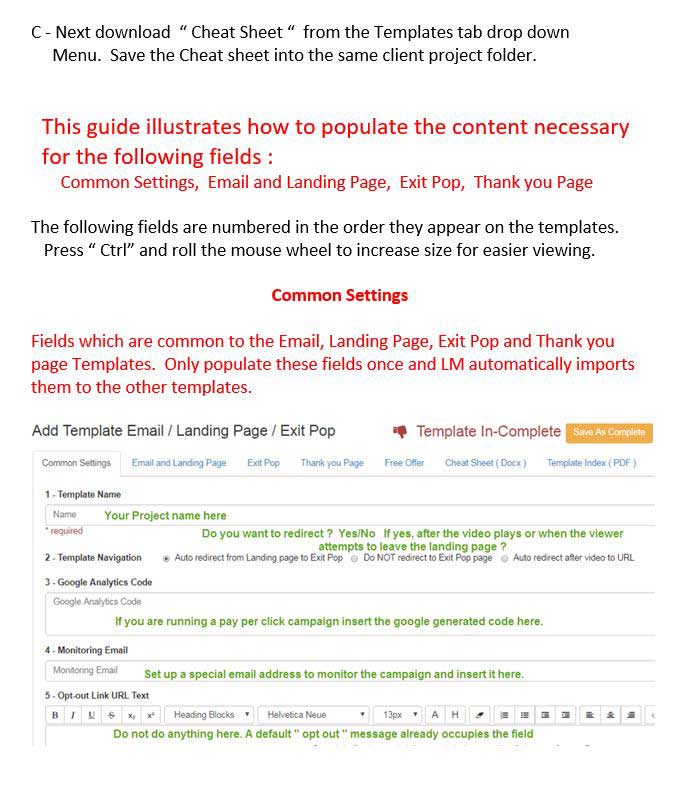
Download Template Guide
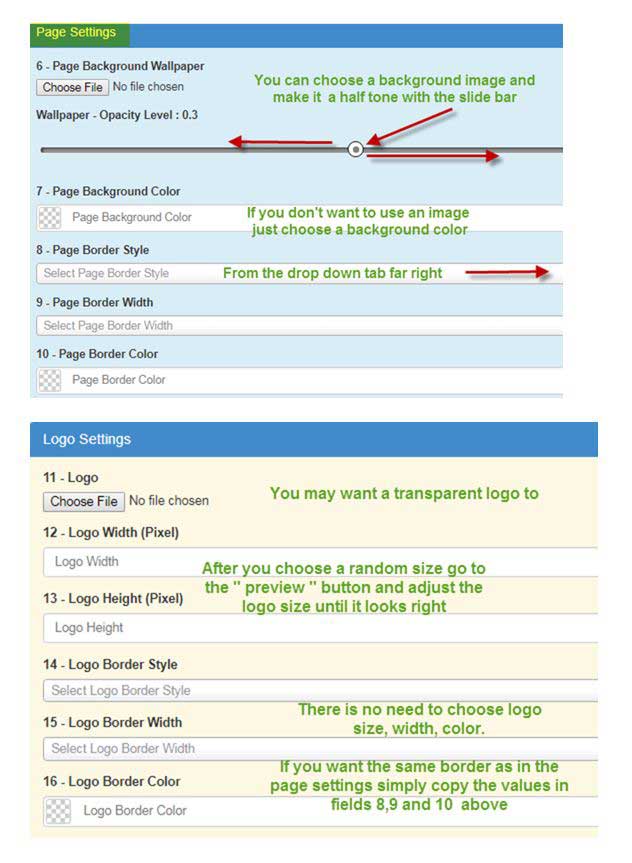
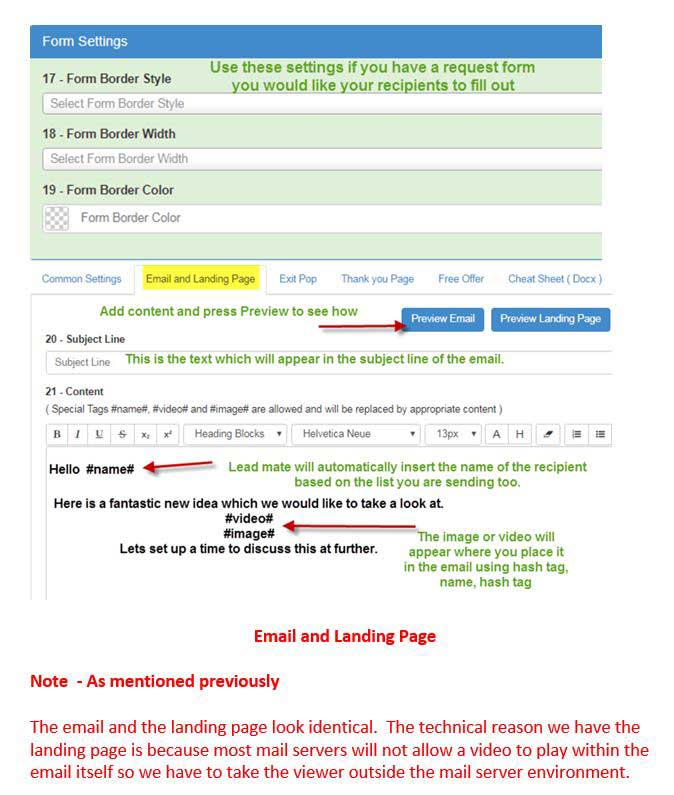
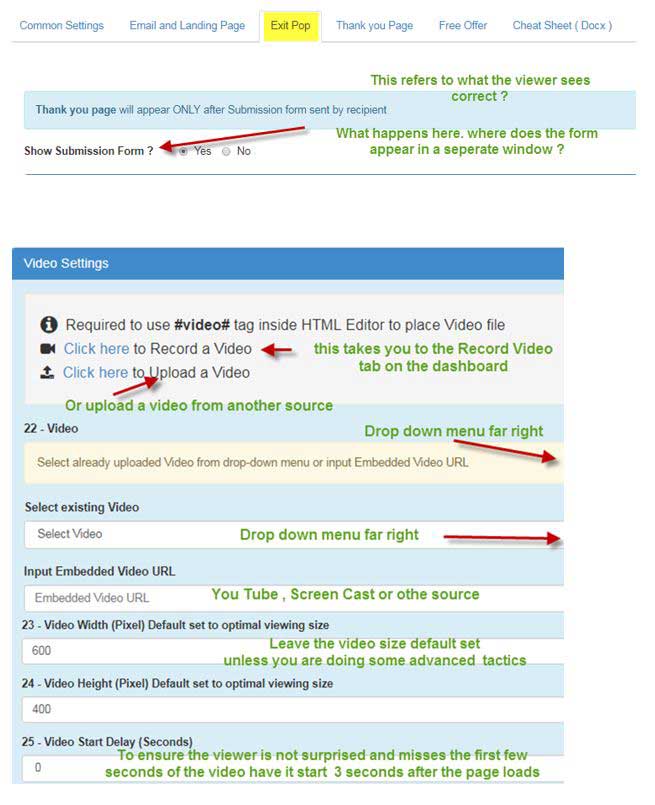
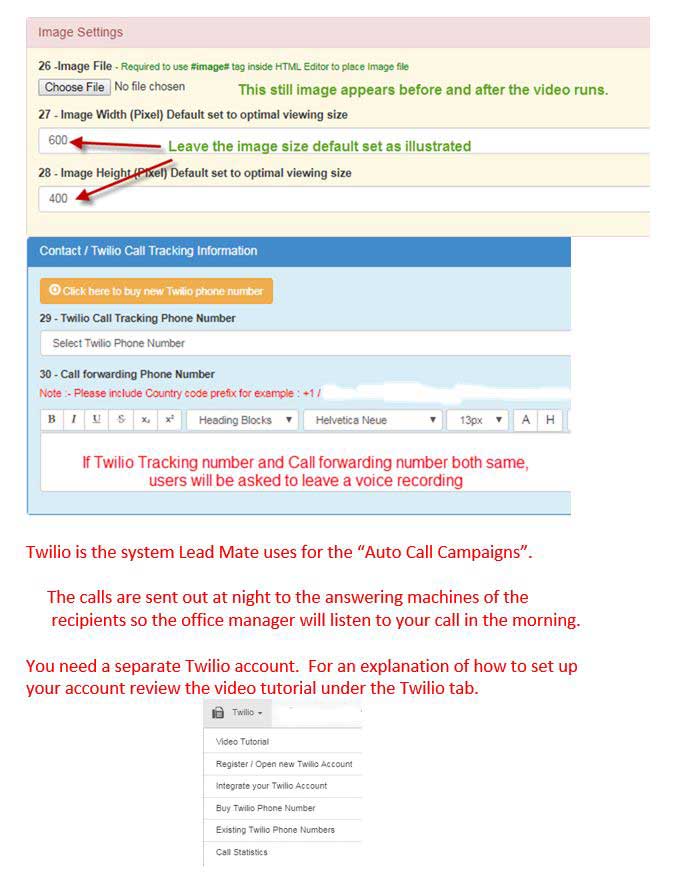
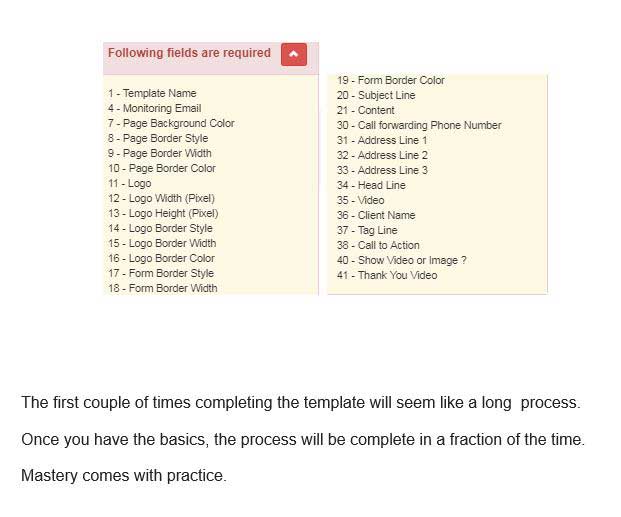
This is a download, step by step guide on how to build a template from scratch
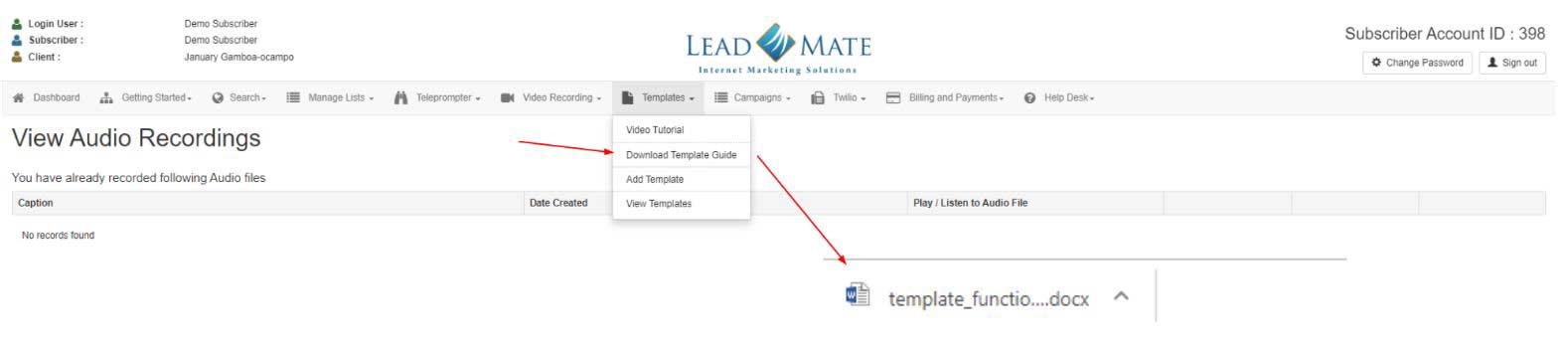
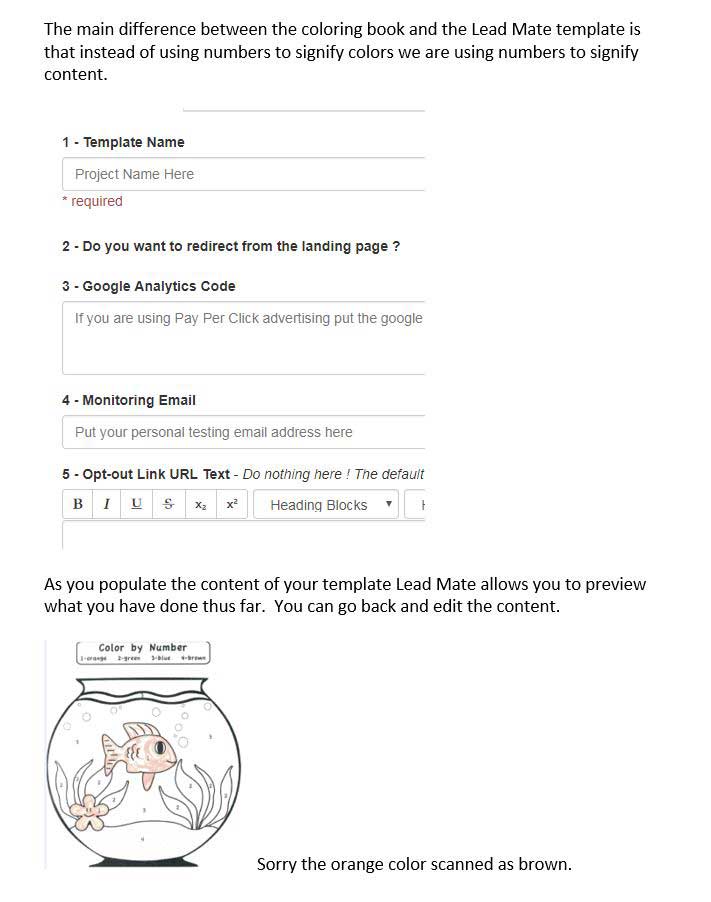
Follow the downloadable template to populate the necessary fields

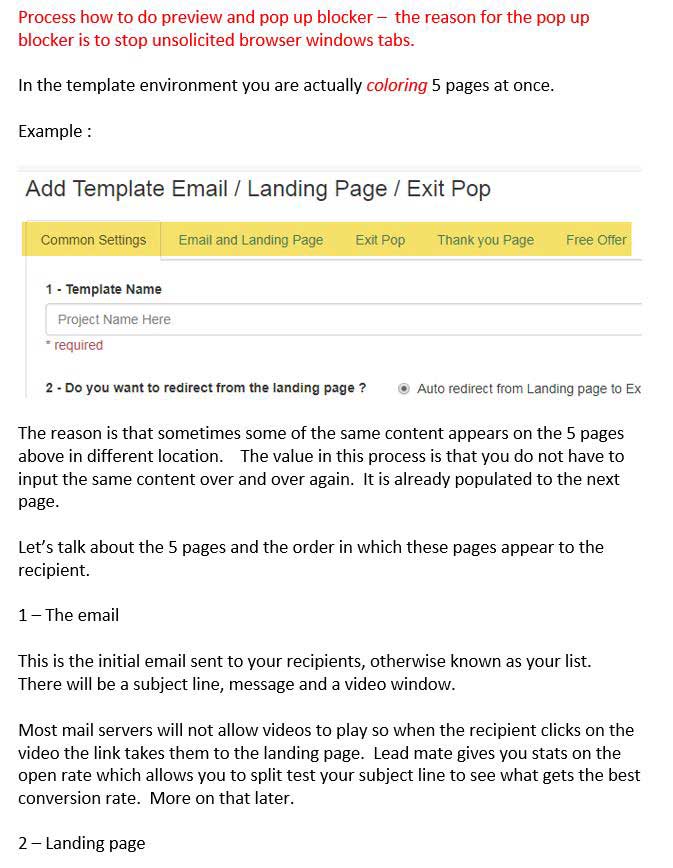
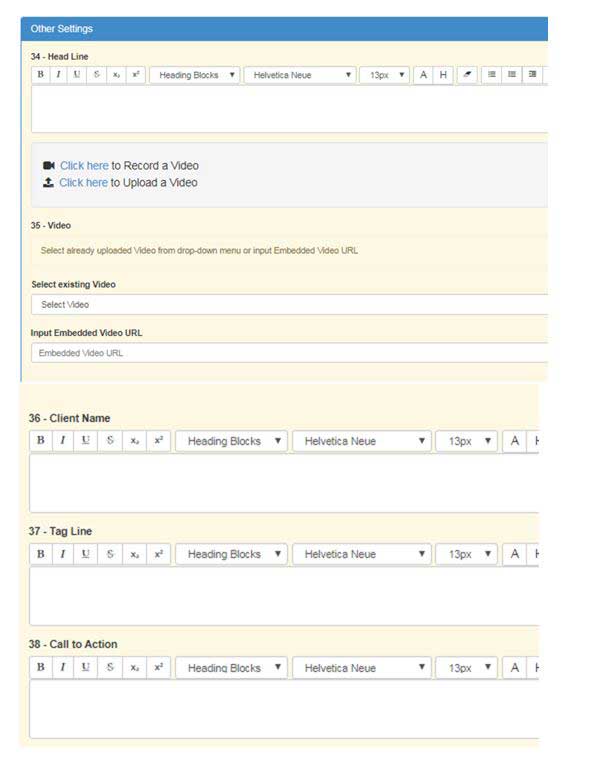
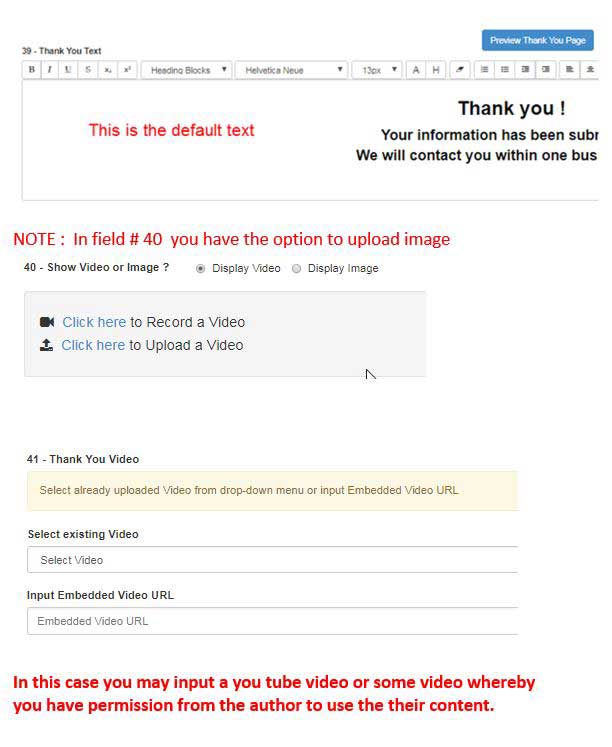
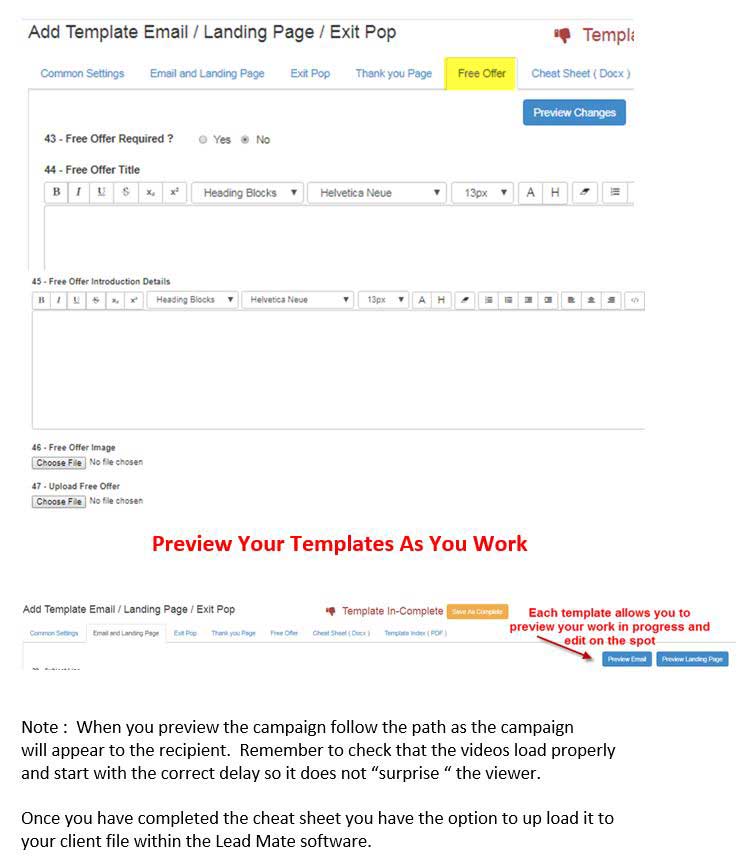
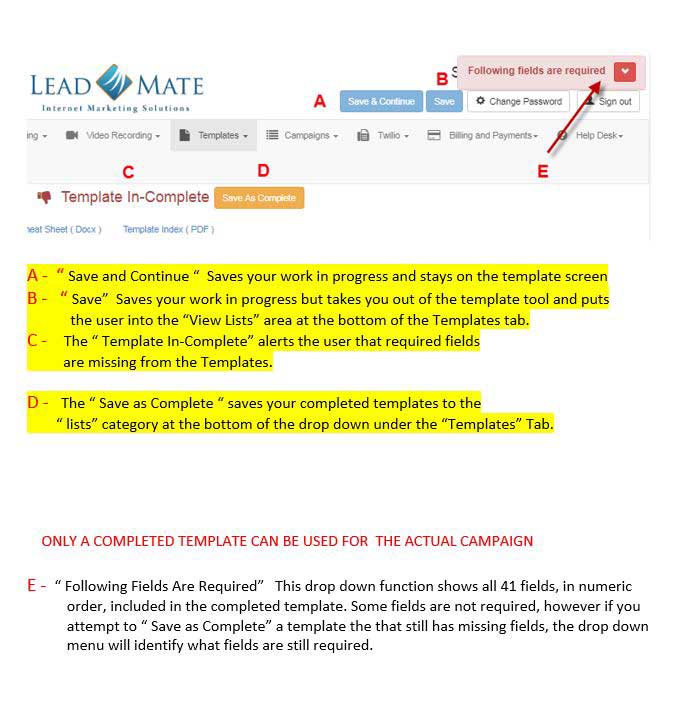
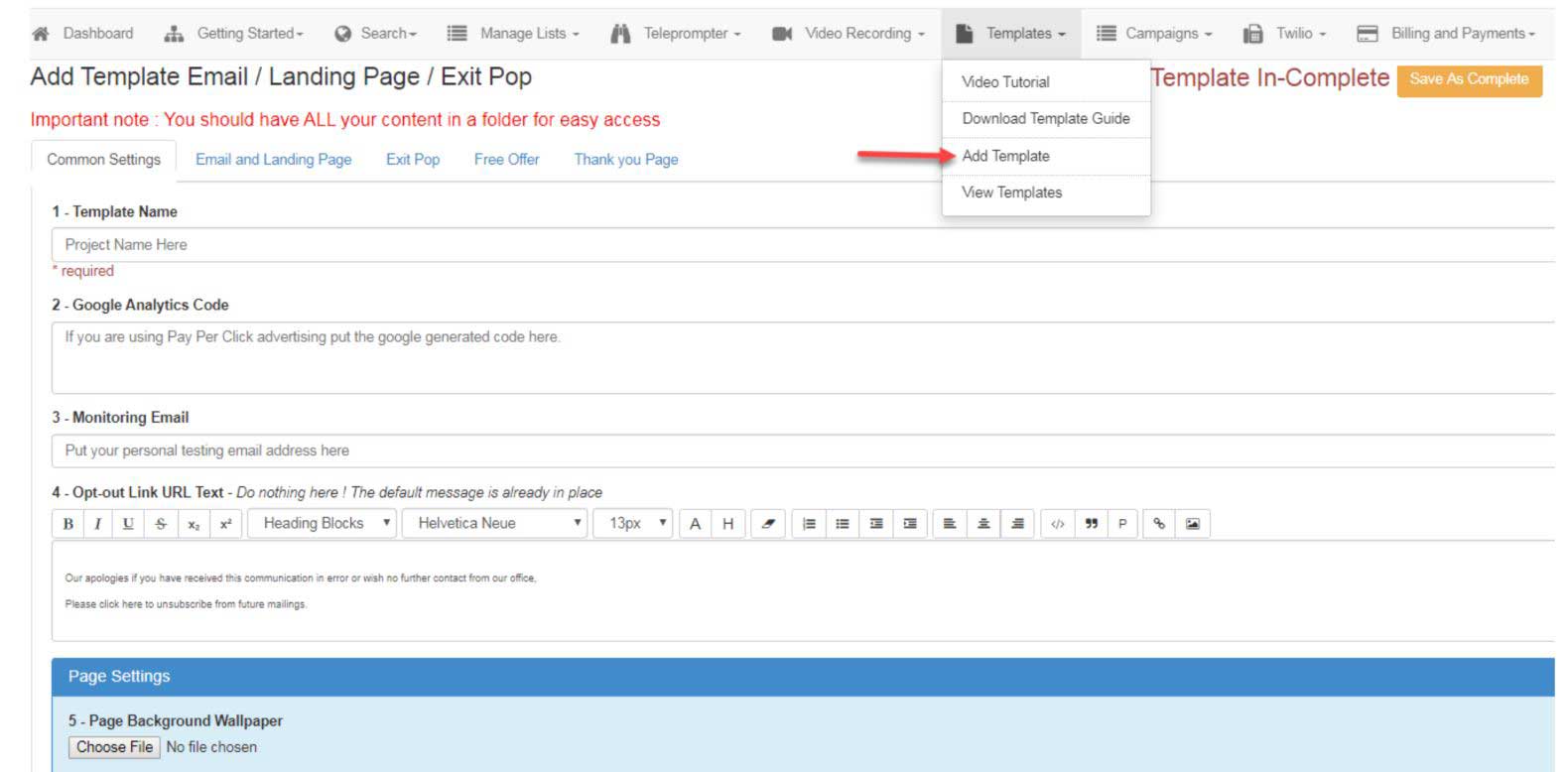
Add Template
The template is where you create your email, landing page, exit pop, free offer and thank you page. Subscribers can preview and edit the templates as they populate the fields
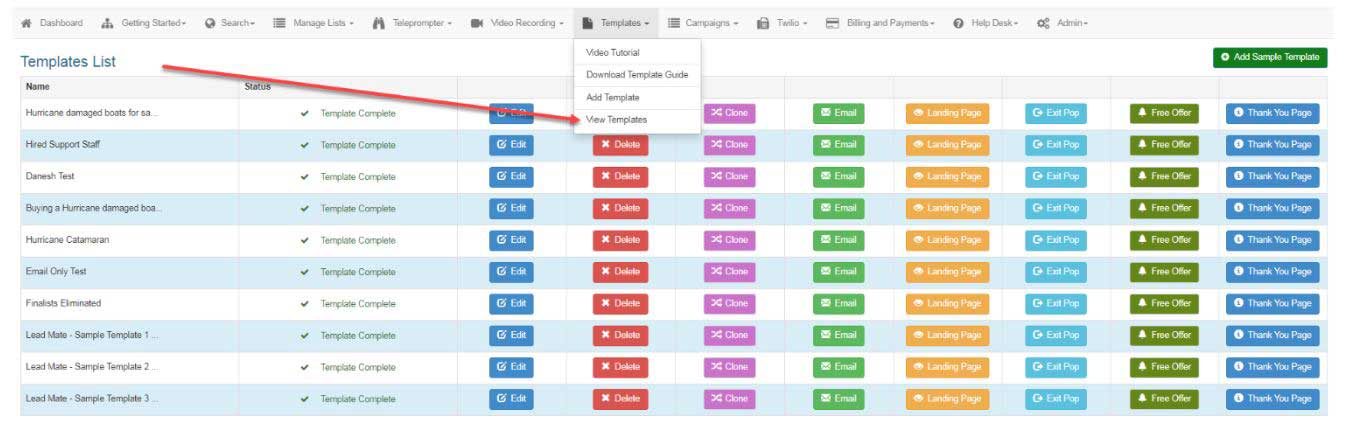
View Templates
How to review the templates you have already created, clone a particular template and repurpose it for a different market plus preview edit and send a test campaign to your own email address to quality assure the product.
Campaigns
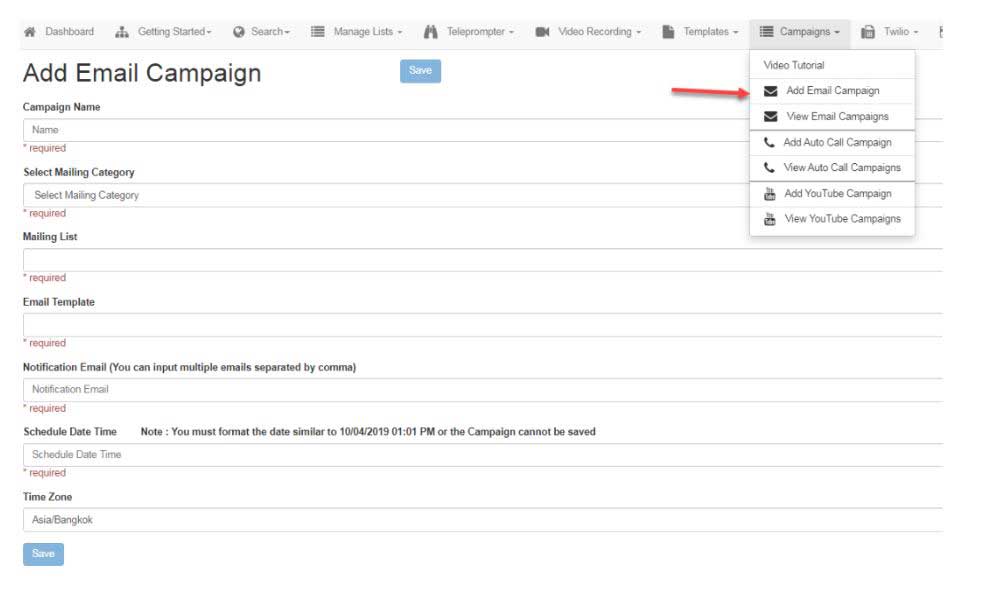
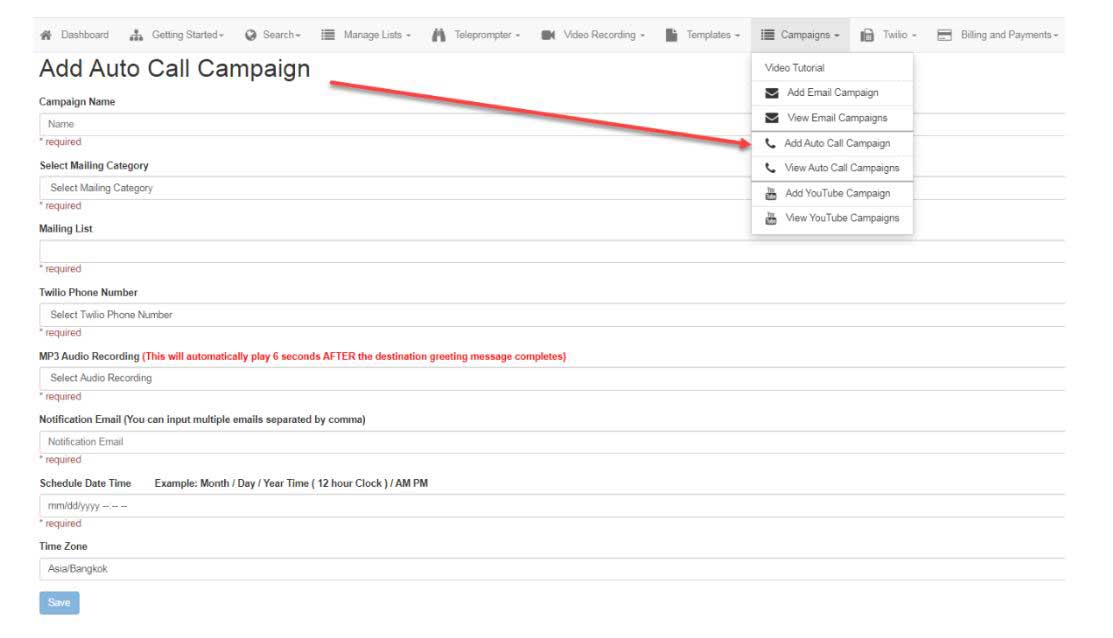
This tab allows you to create multiple campaign types
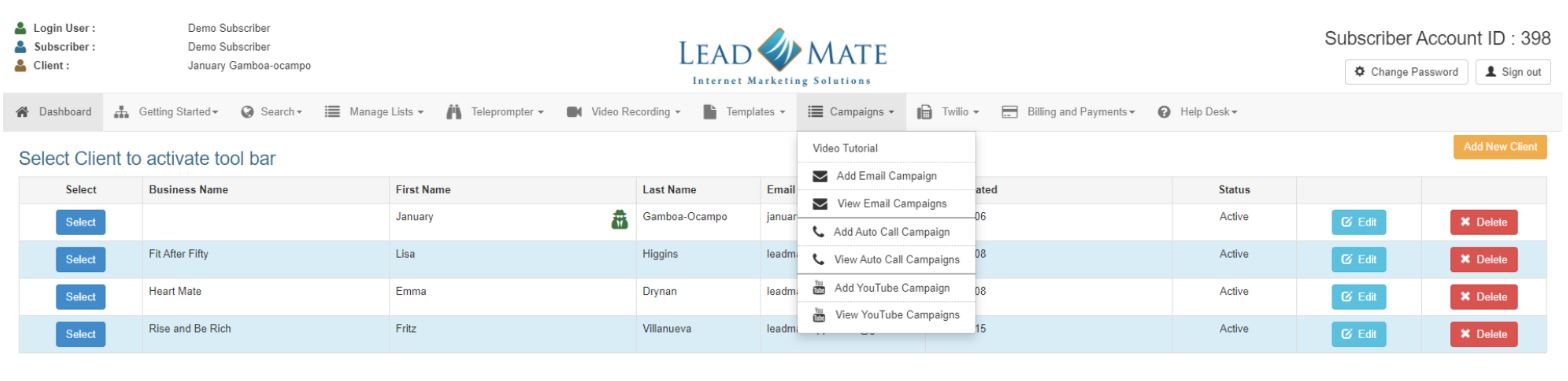
Email Campaign

Auto Call Campaign

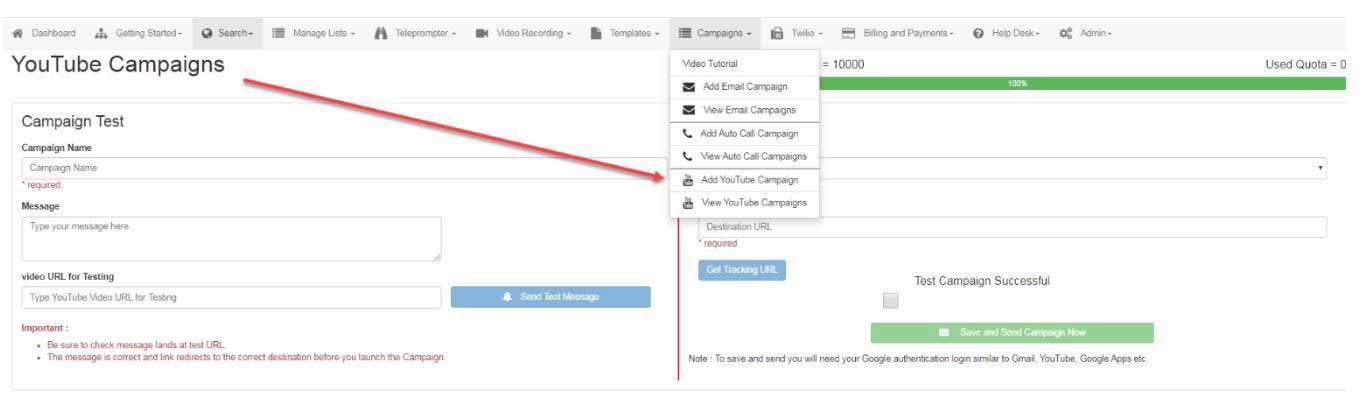
YouTube Campaign
Add and View YouTube Campaigns
Twilio
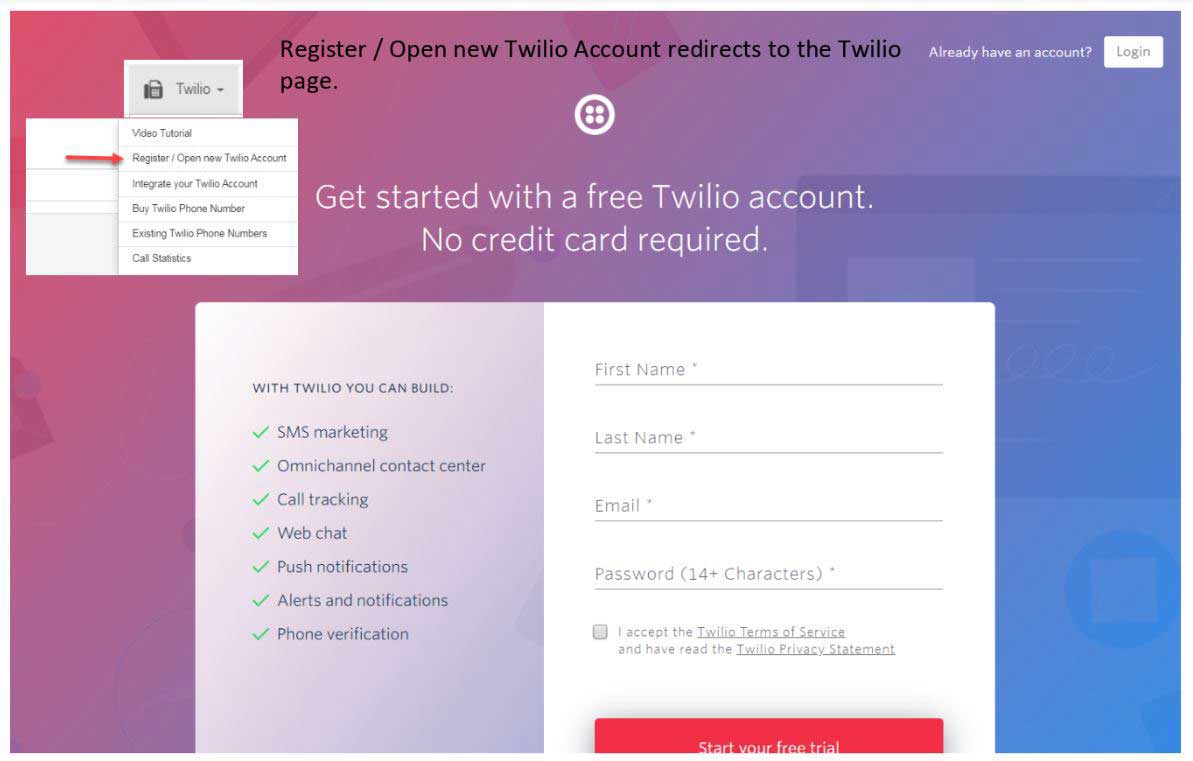
Twilio is third party virtual calling functionality integrated into Lead Mate. Accounts can be customized to each subscribers needs.
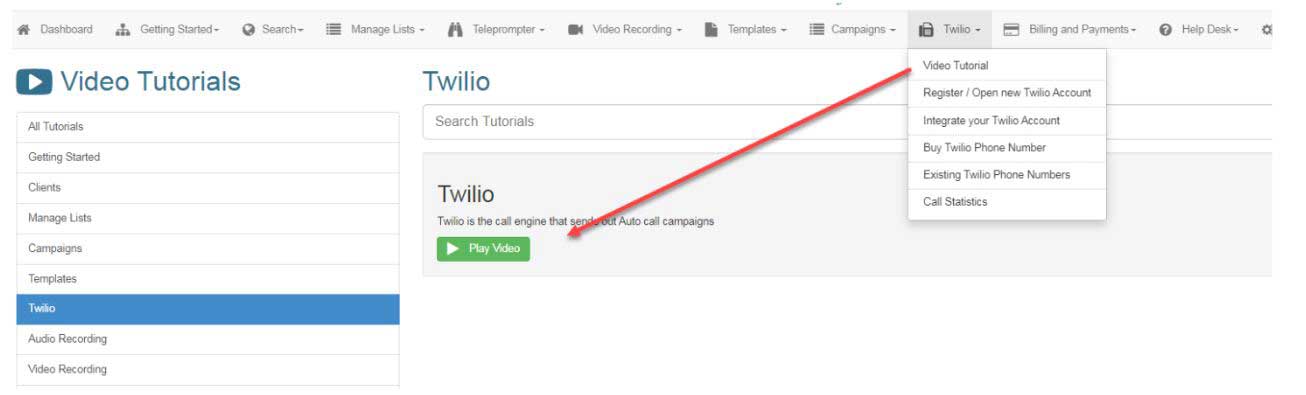
Register / Open new Twilio Account redirects to the Twilio page.
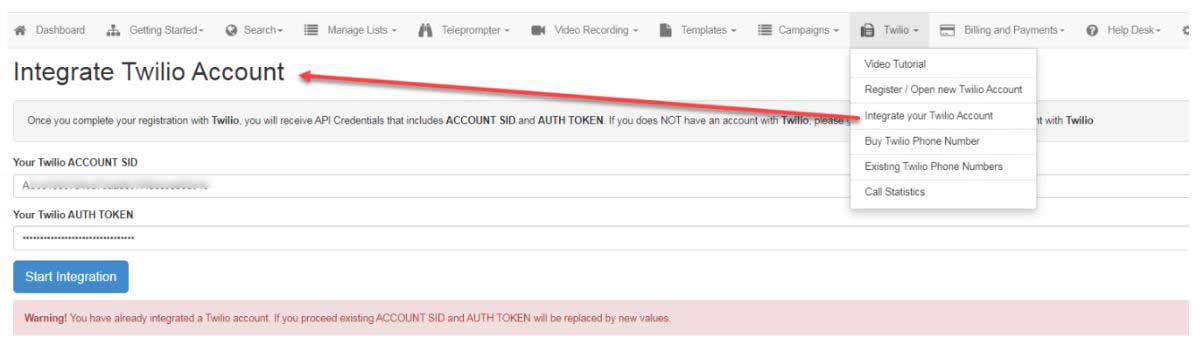
Integrate Twilio with your Lead Mate Functionality
Once set up you can send out your auto call campaigns
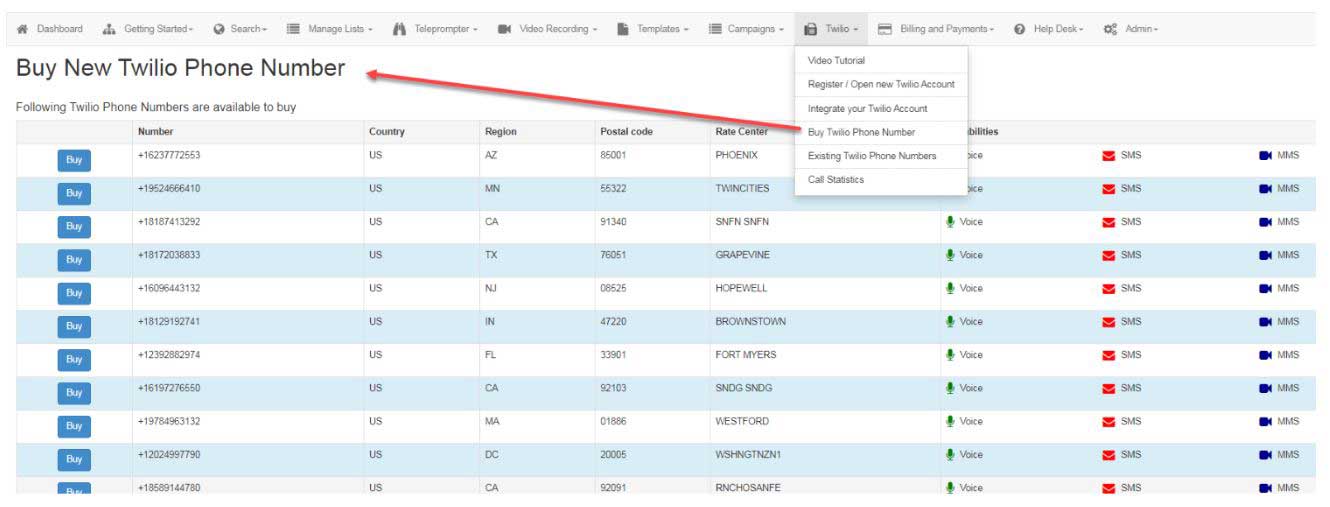
Buy New Twilio Numbers and Functions
Here is where you would buy additional numbers and functionality whether it be Voice, SMS or MMS
Existing Twilio Account
From this drop down Subscribers can review their current numbers and features

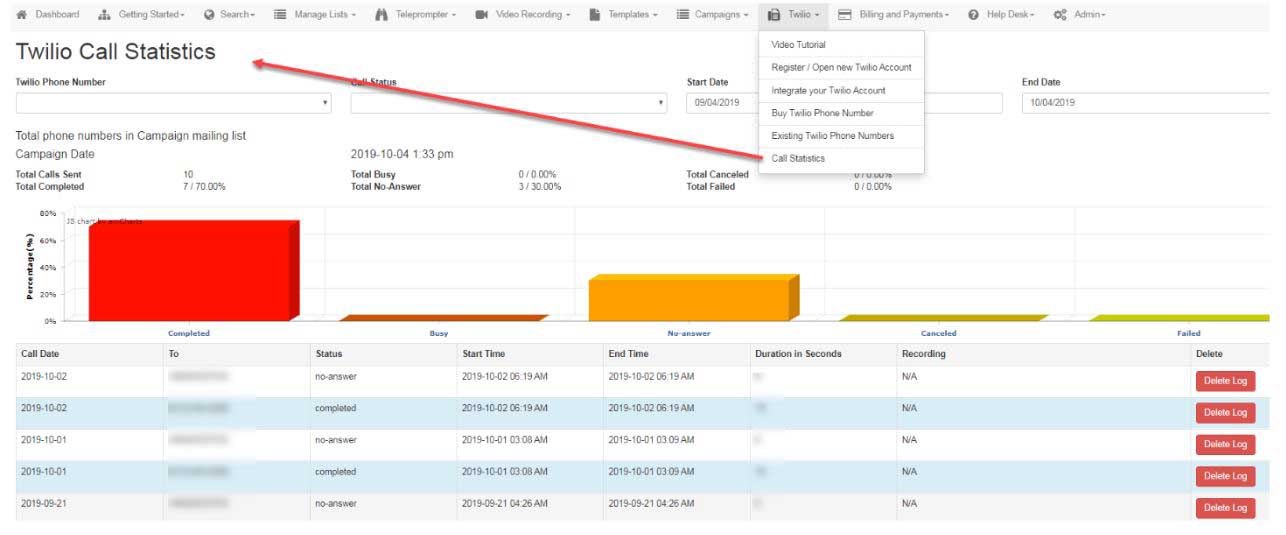
Twilio Call Statistics
This function provides all analytics and metrics per virtual number
Billing and Payments
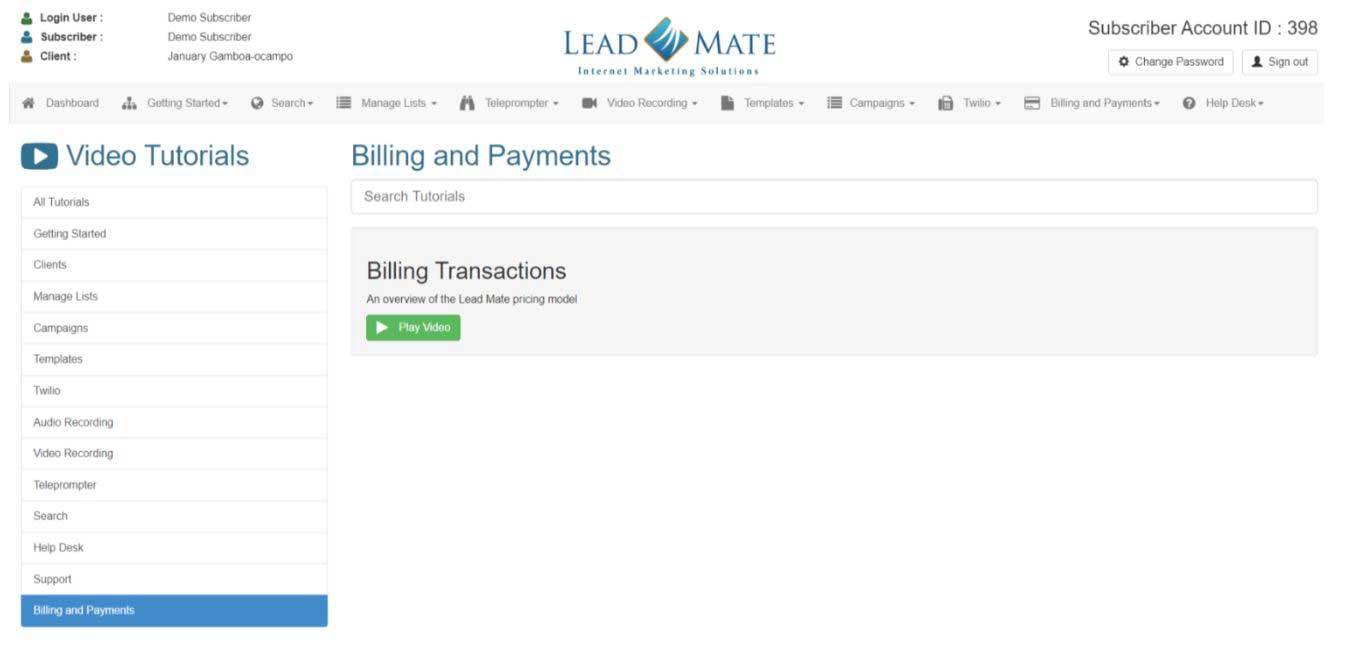
View Billing Payment Transactions

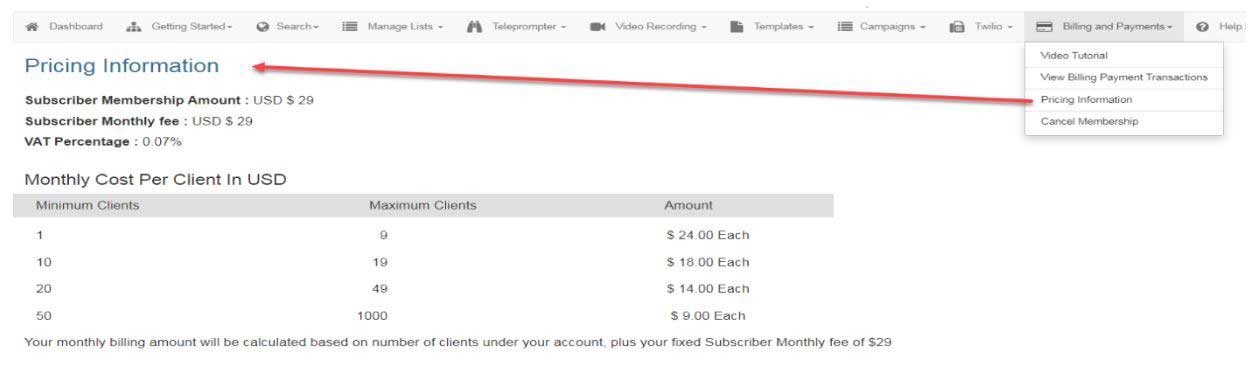
Pricing Information
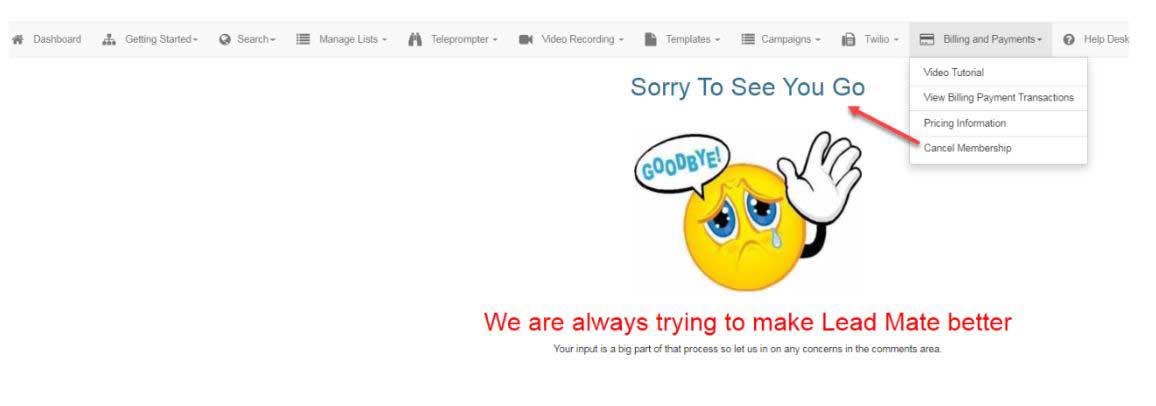
Cancel your membership from this screen
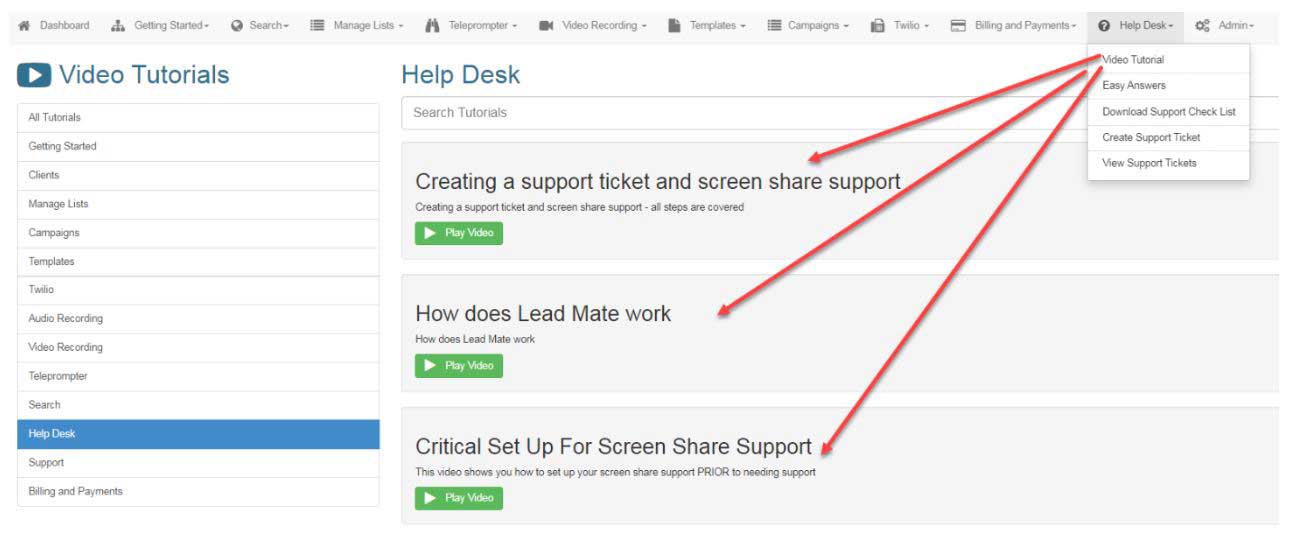
Help Desk
Please review the specific video tutorials before posting a support ticket
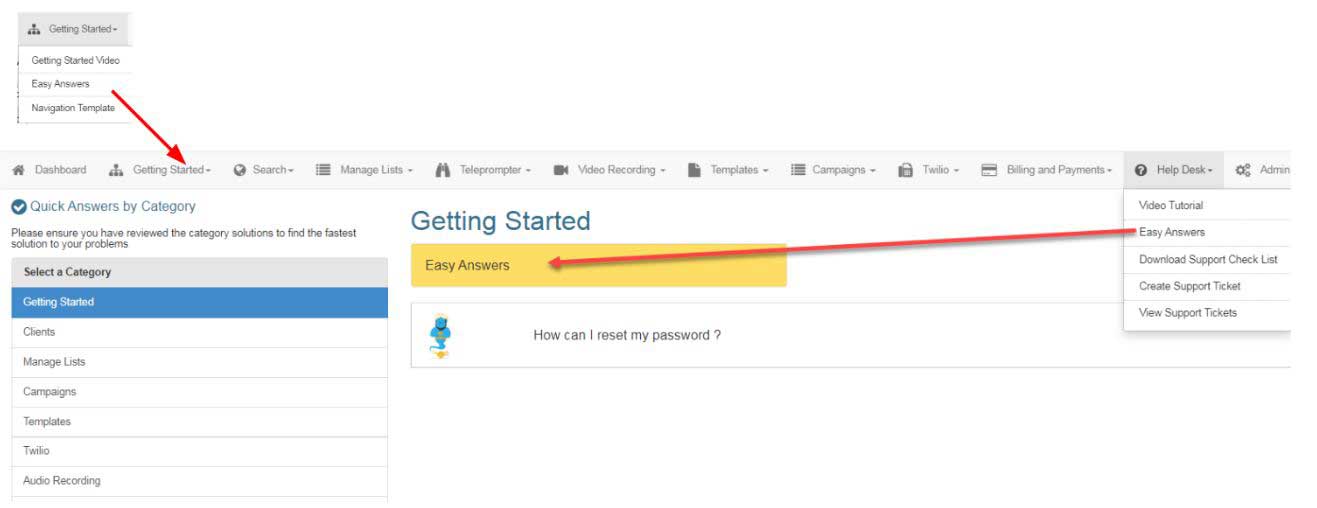
Easy Answers
Subscribers can access Easy Answers via help desk or Getting Started tab
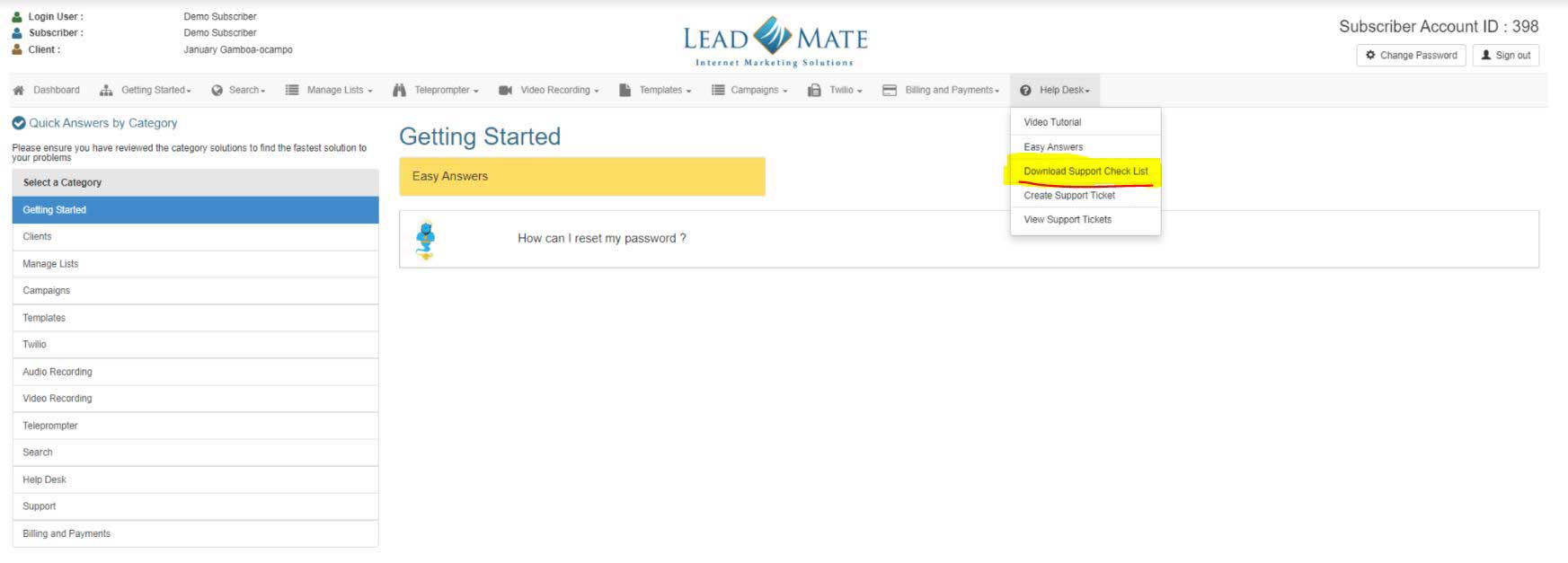
Download Support Check List
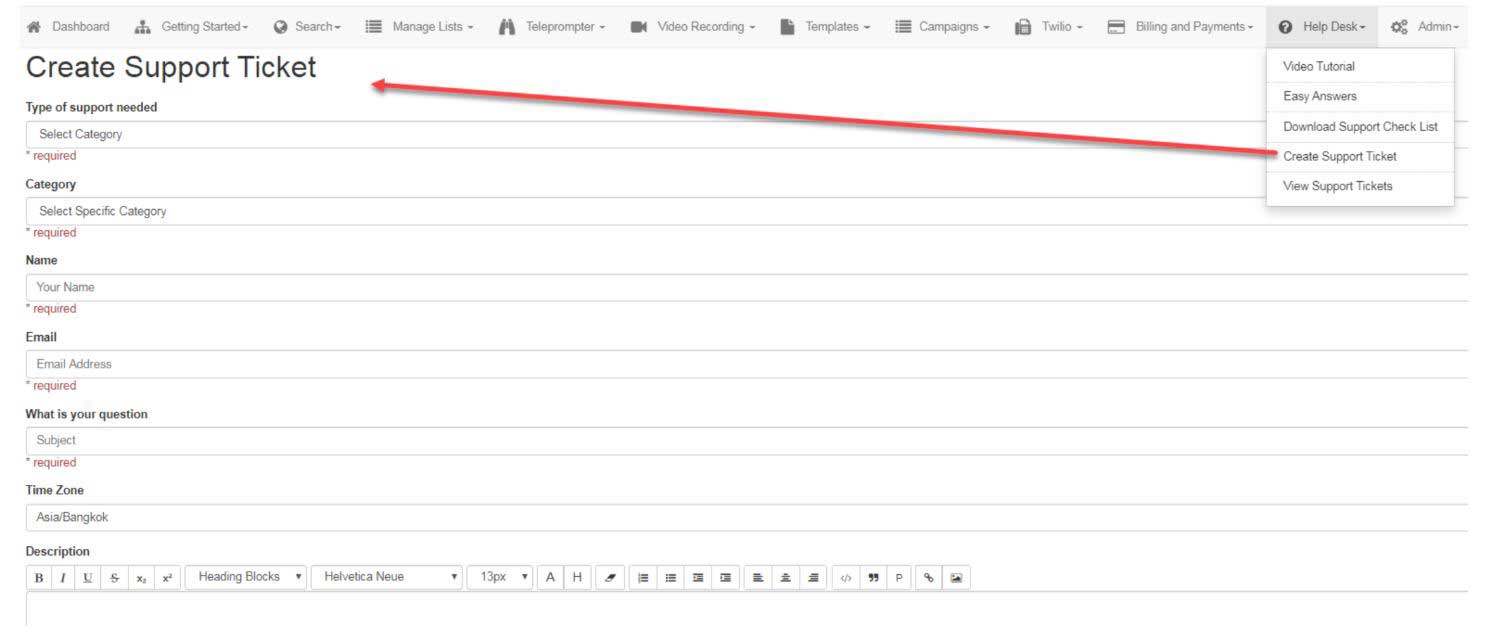
Support Tickets
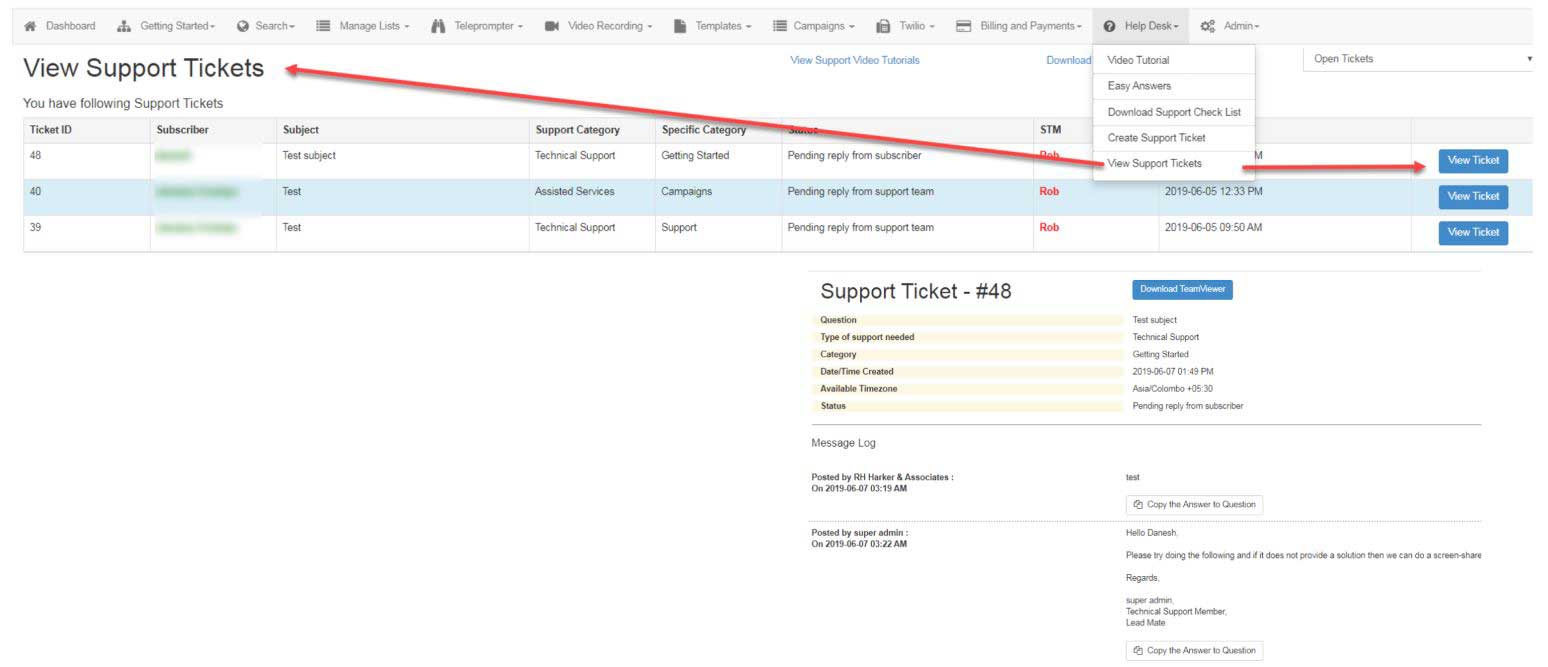
Creating a support ticket
Once the ticket is posted subscribers receive an email confirmation of the posting and support can be in the form of chat, email or screen share.
View Support Ticket
Once the ticket has been posted subscribers can check on the queue and view the specific ticket